
Every enquiry on one board
Enquiries from your form appear on the board automatically, and you can add the ones that come in by phone or WhatsApp. When you drag a card to Booked, FlickPic creates the client and sets up the project.
Replaces Spreadsheets and WhatsApp threads
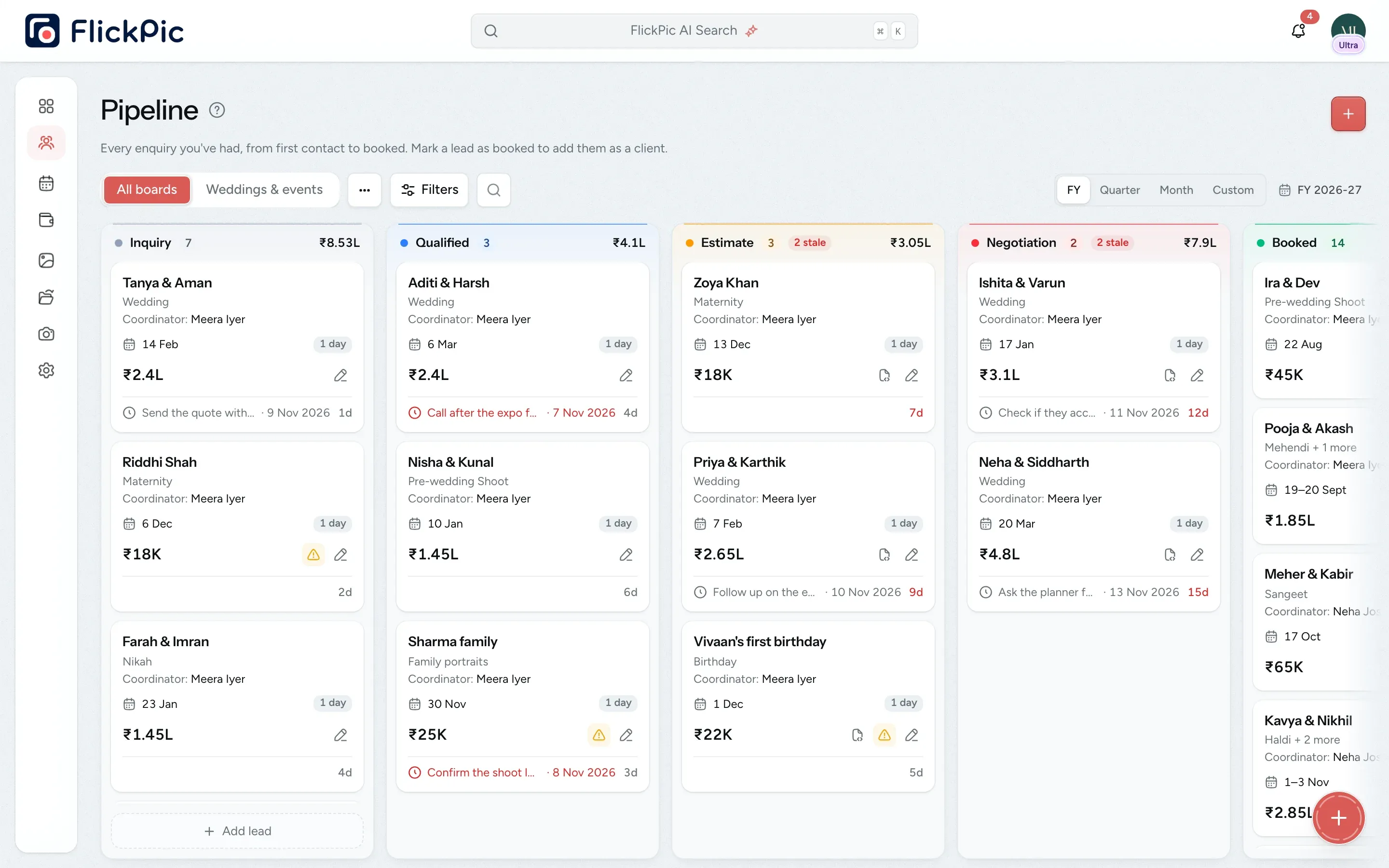
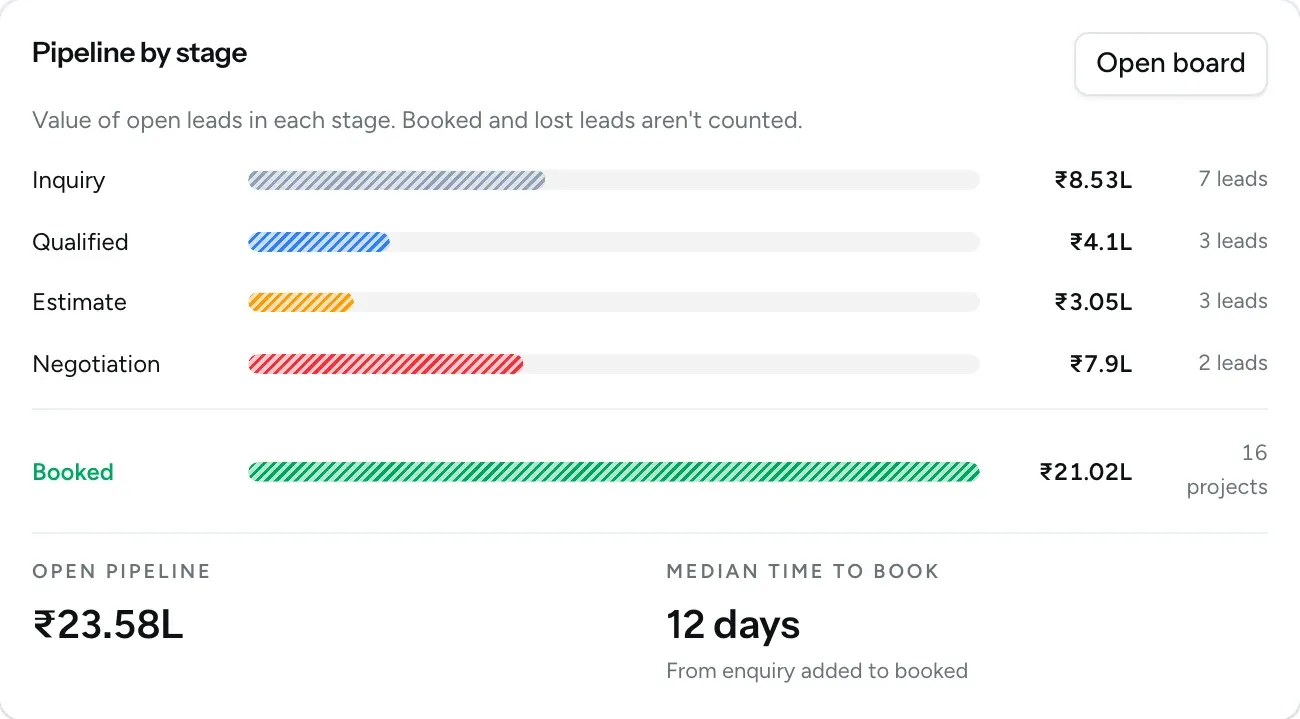
A total for every stage
All of this is available today
- Enquiry board
- Enquiry forms
- A form for each kind of shoot
- Add enquiries by hand
- New enquiry alerts
- Lead sources
- Conversion funnel
- Multi-day weddings
- Crew per event
- Clashing date warnings
- Albums and deliverables
- One-click booking
- Source performance
See which enquiries need a follow-up
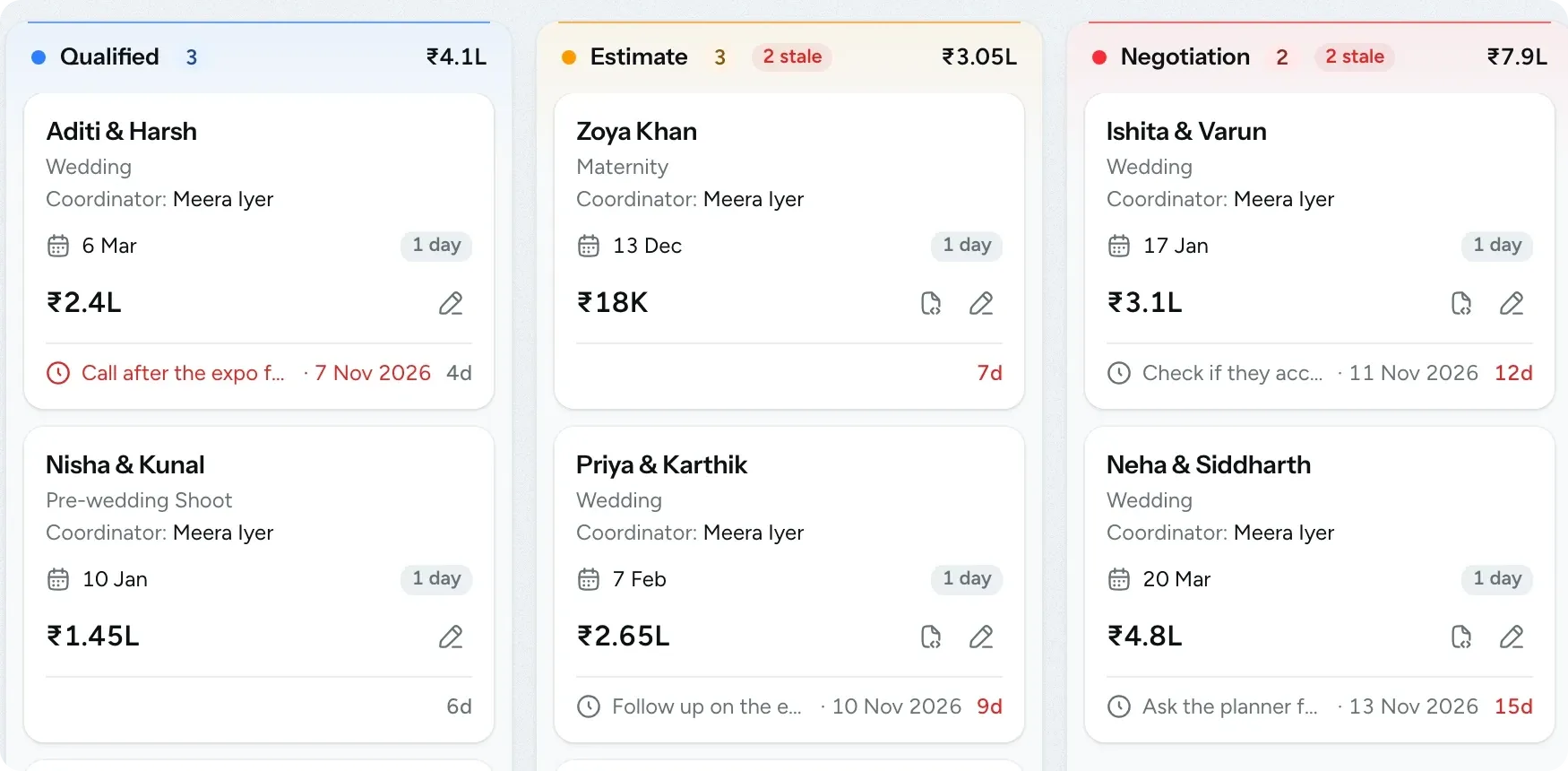
Each enquiry appears as a card on your board, with the event date, the deal value and the date you planned to follow up. If the follow-up date passes, it turns red. Enquiries that stay in the same stage for a week are flagged as well.
-
Share your enquiry form
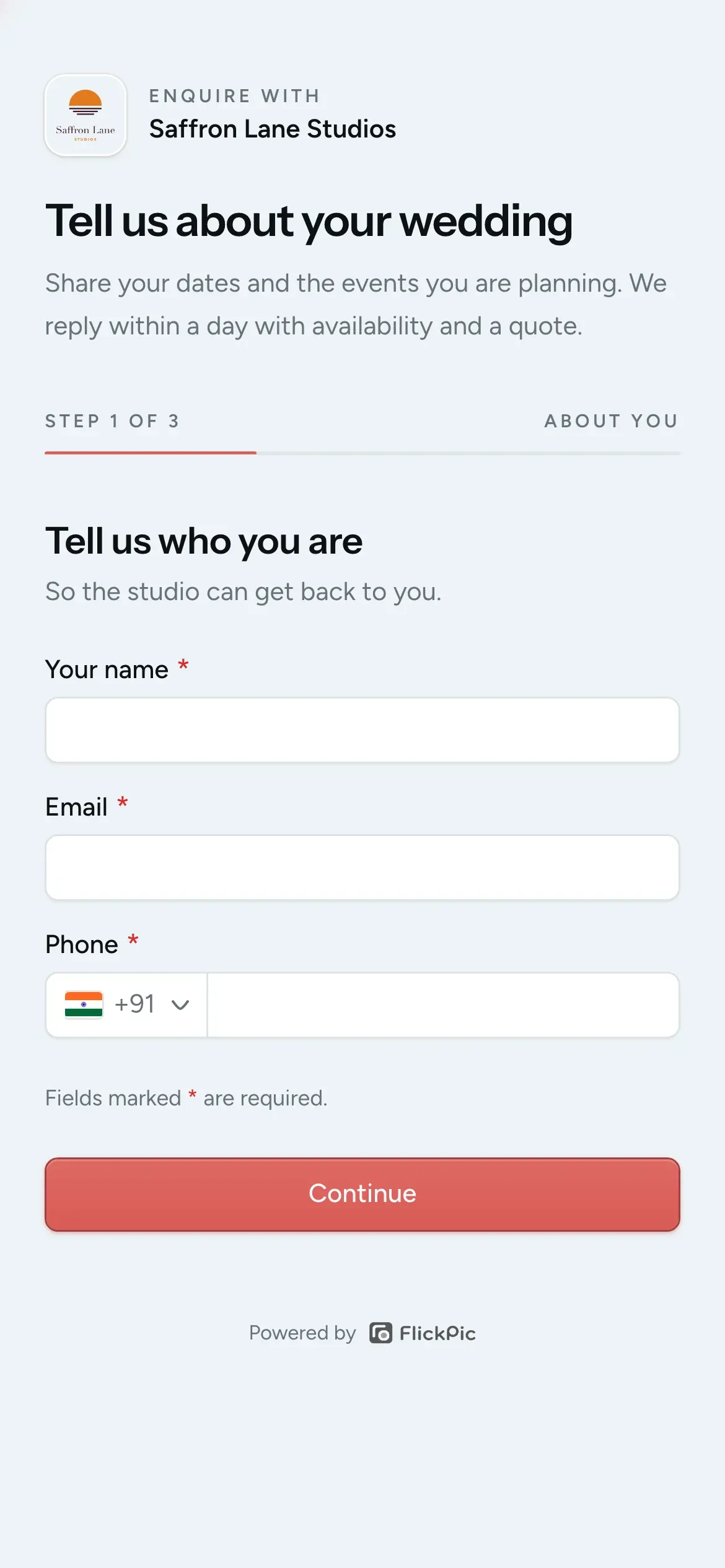
Add the form's link to your Instagram bio, share it on WhatsApp or put it on your website. You can make separate forms, such as one for weddings and one for baby shoots, so you know which form each enquiry came from.
-
Add an enquiry yourself
If someone phones you or walks in, add the enquiry by hand and fill in whatever details you have so far.
What Enquiries and bookings does
-
Track enquiries on a five-stage board
The board has five stages: Inquiry, Qualified, Estimate, Negotiation and Booked. Each column shows the total value of its enquiries, so you can see who needs a reply and how much work is close to being booked.
- New enquiries start in Inquiry
- Drag a card to move it between stages
- Cards show where each enquiry came from and flag returning clients
- Cards are marked stale after a week in the same stage
-
Your own enquiry form
Add the link to your Instagram bio or your website. A couple fills in three short steps, and the enquiry appears on your board with their dates, events, guest count and how they heard about you.
- Add your logo, cover photo and wording
- A repeat enquiry is added as a note instead of a new card
- Reset the link if it's shared somewhere it shouldn't be
-
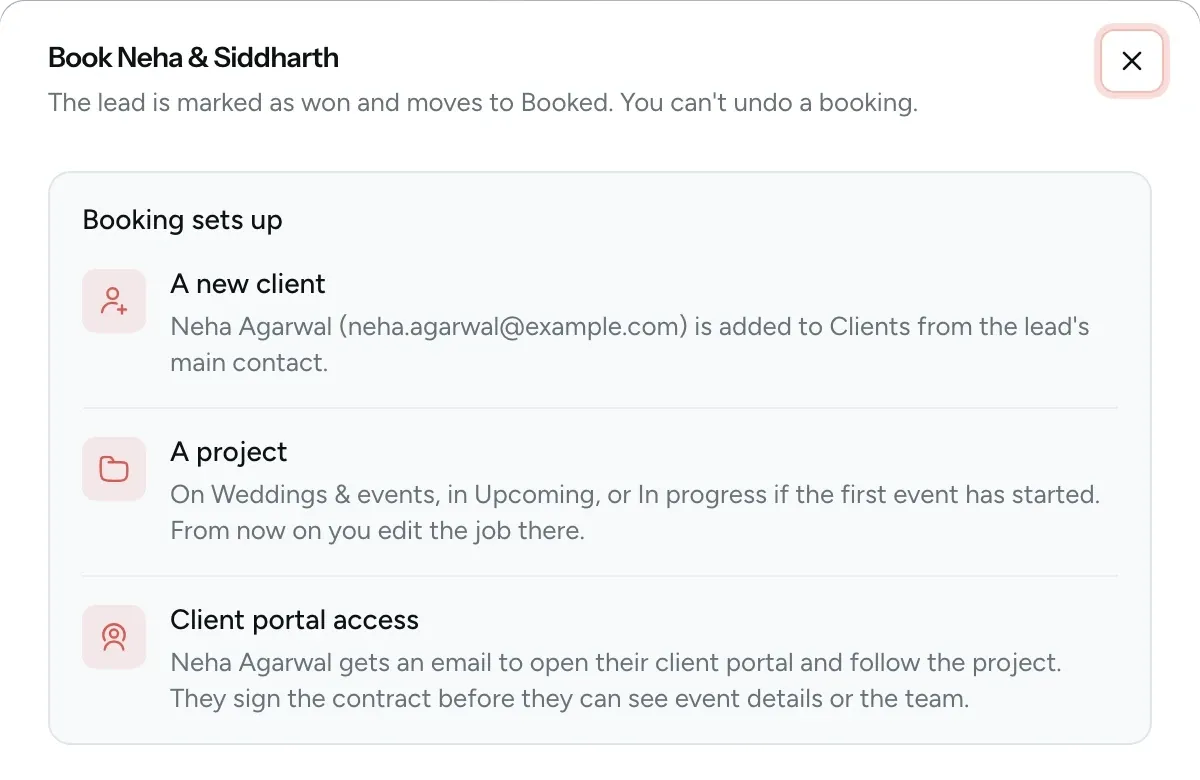
Booking creates the client and project
Contacts, event days, venues and packages are copied over from the enquiry. At the same time, your client receives an invitation to their portal.
- You never type the same details twice
- Returning clients are matched by phone number
- Lost enquiries keep a note of the reason
-
Plan every event of a multi-day wedding
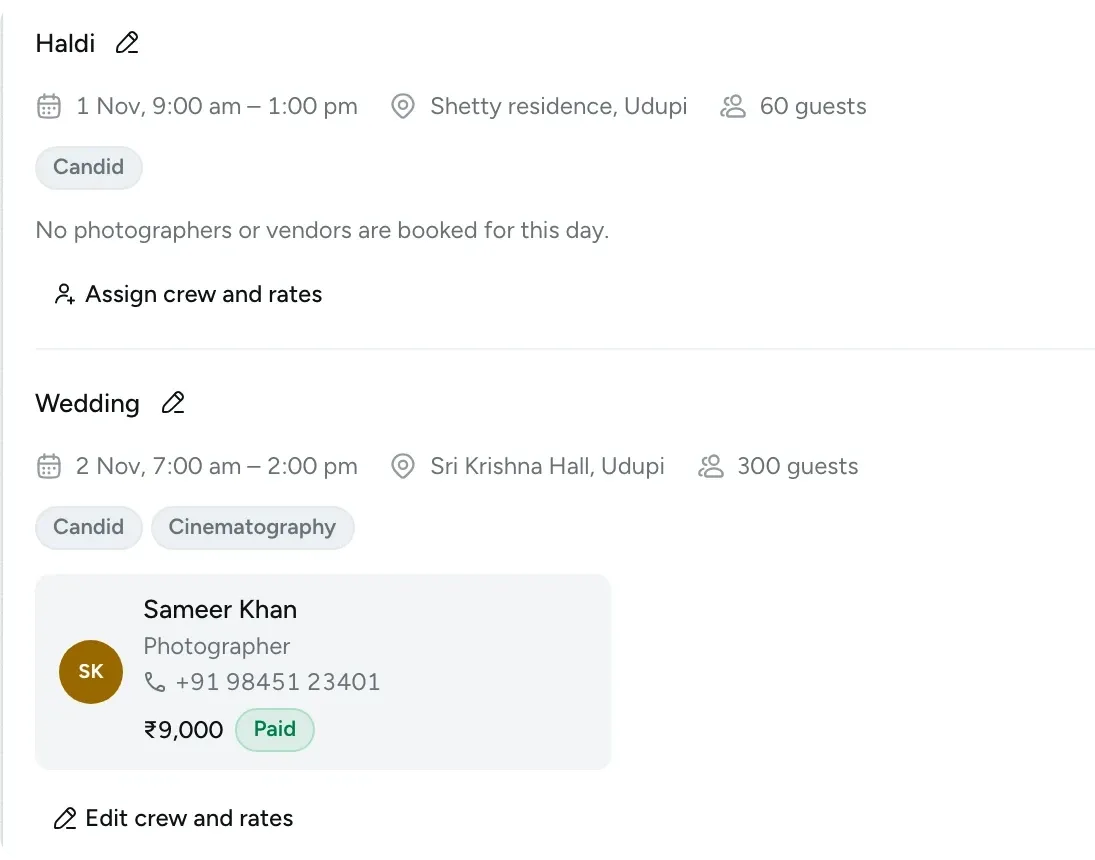
Add each event of the wedding separately, with its own date, venue and guest count. Choose crew and vendors from your saved lists.
- Add services such as candid or cinematography to each event
- Assign crew by name, with a photo or video role
- Clashing dates are flagged as you plan
- Add albums and other deliverables for the whole booking
See where enquiries drop off
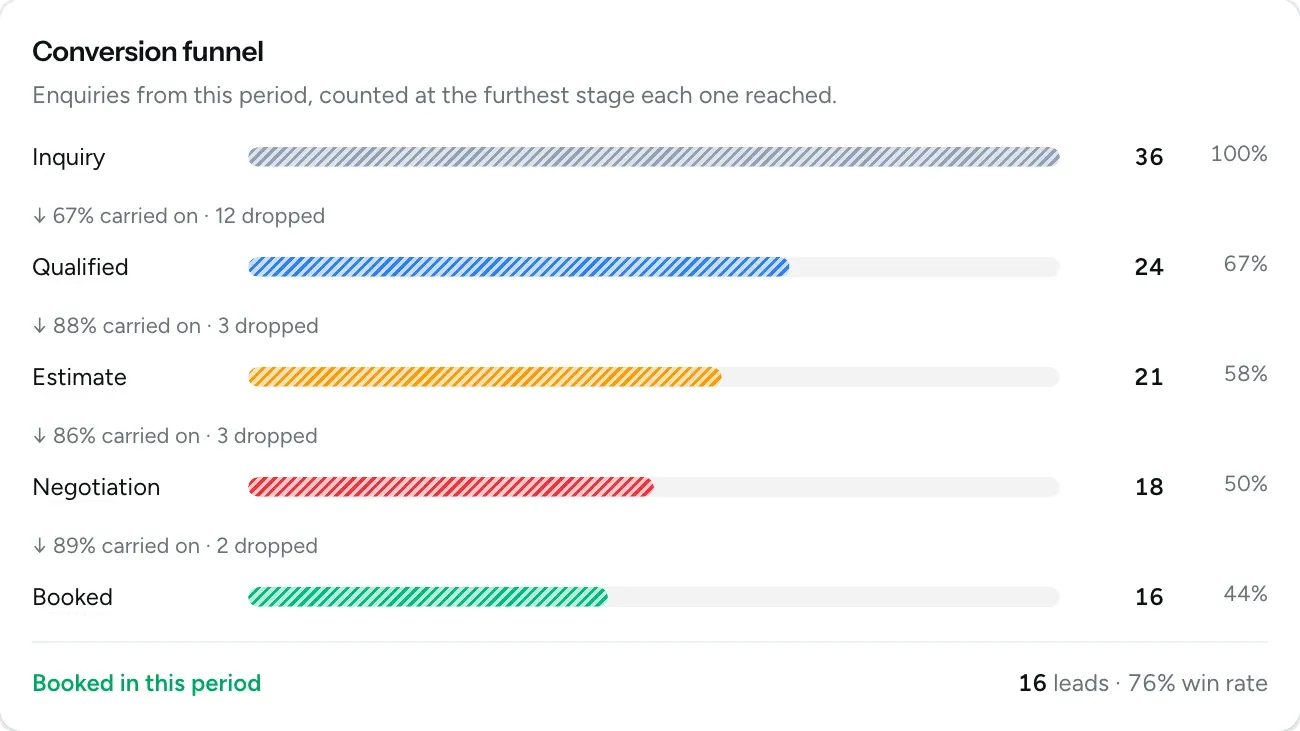
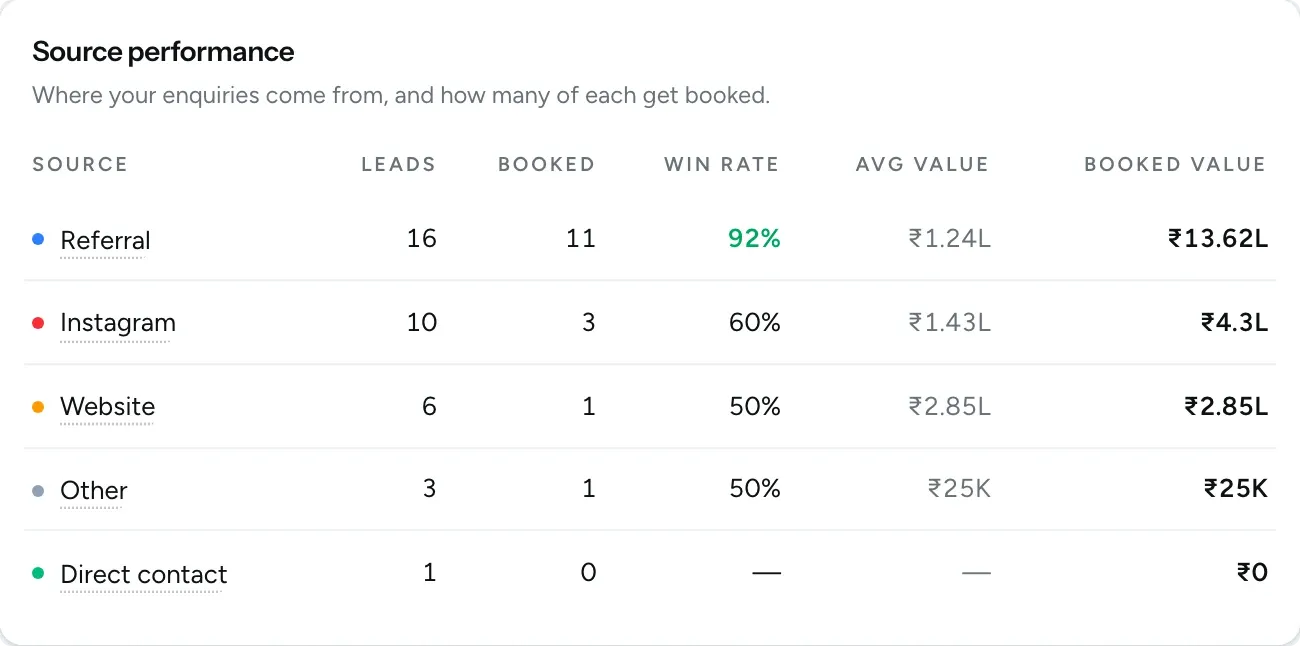
The conversion funnel counts each enquiry at the furthest stage it reached, so you can see where couples stop replying. Source performance shows which channels bring you bookings, not just leads.
- See how many enquiries move on from each stage and how many drop off
- Track your win rate for the period you pick
- Compare leads, bookings and booking value for every source
Questions about enquiries and bookings
Questions studios often ask before they start using this feature.
Email us another question-
Yes, you can add them yourself from the pipeline. The main contact needs a phone number, and FlickPic suggests your existing contacts as you type.
-
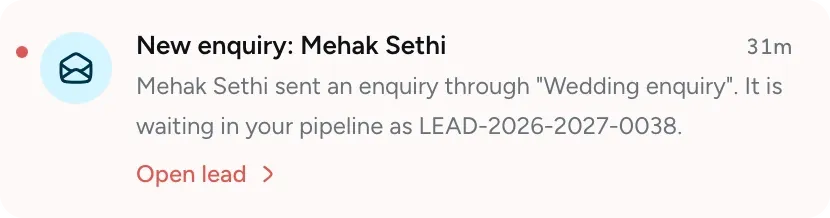
Yes, by email and in the app. If the same person enquires again about the same event on overlapping dates, FlickPic adds it as a note on their first enquiry and doesn't send a second alert.
-
Yes. A yellow dot marks any date that another enquiry or booked job already has, and a note warns you if a photographer or vendor you picked is already booked on those days. The warning is only a reminder, so you can still save.
-
Yes. One switch pauses all your forms at once, and your forms and past enquiries stay saved. You can also turn off a single form, and its link will then show that the form is unavailable.
-
A booking can't be undone on the board, so you make changes on the project instead. If you cancel the project, the enquiry is marked as lost with the reason you choose.
Experience FlickPic
Bring a real enquiry to a free 30-minute call. We'll take it all the way to a client gallery in FlickPic with you and answer your questions along the way.