
Roles and permissions for your team
Invite the people who help run your studio, such as an editor or an accountant, and give each one a role. Important changes are logged with the person's name and the time.
Replaces One shared password
Invite teammates by email
All of this is available today
- Custom roles
- Invite by email
- Sign in with a code or Google
- No shared passwords
- Instant access removal
- Sign out devices remotely
- Audit log
- Freelancer and vendor lists
- Crew WhatsApp updates
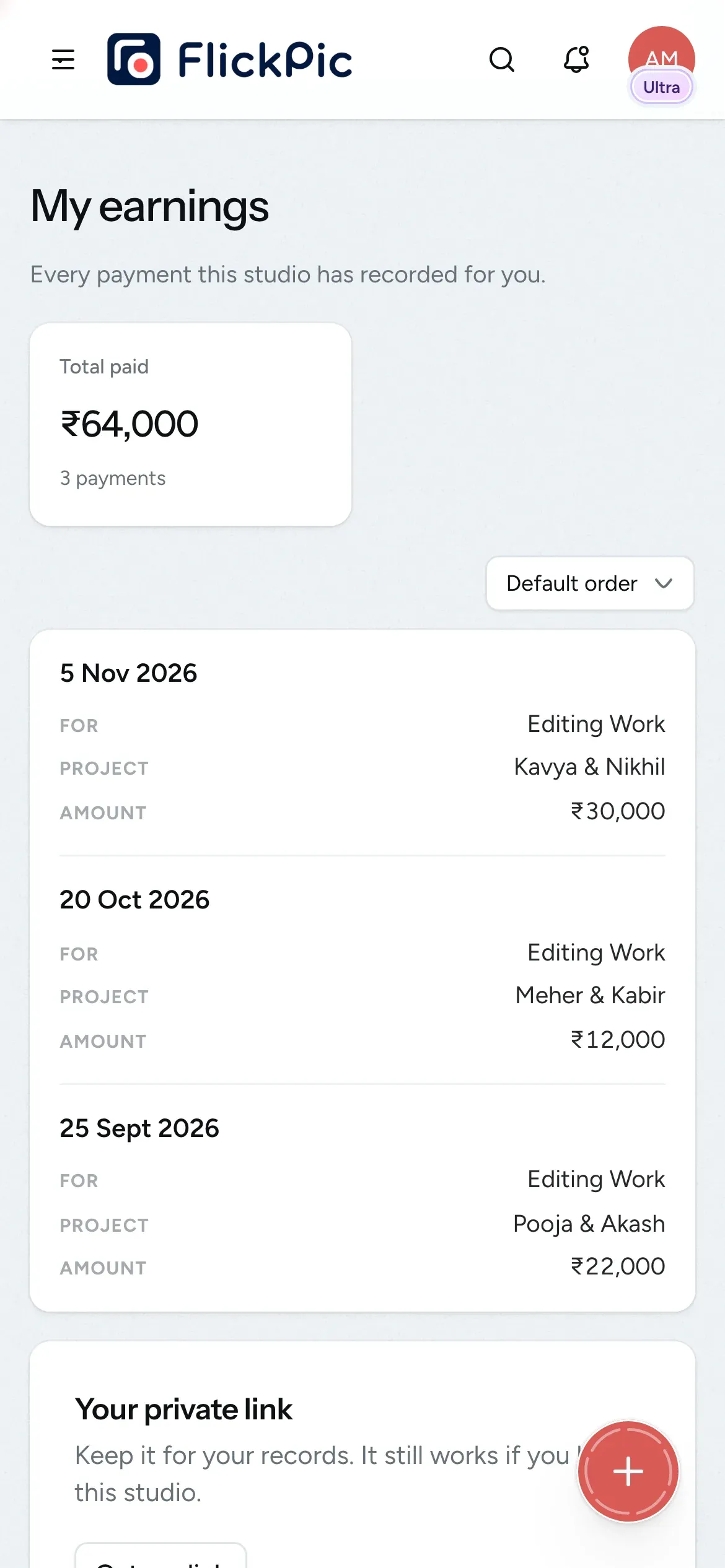
- What you paid each person
- Earnings links
What Team and access does
-
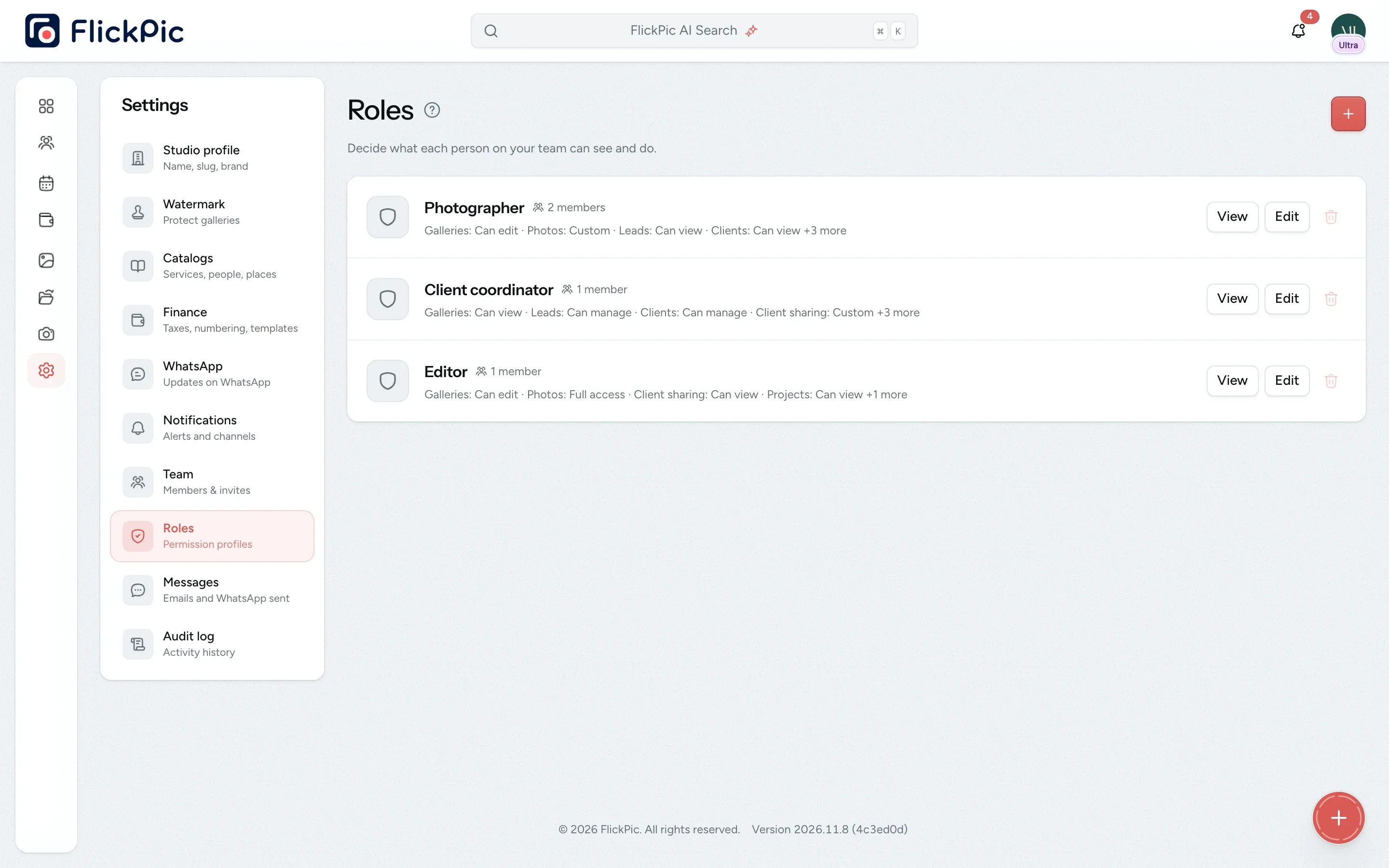
Create your own roles
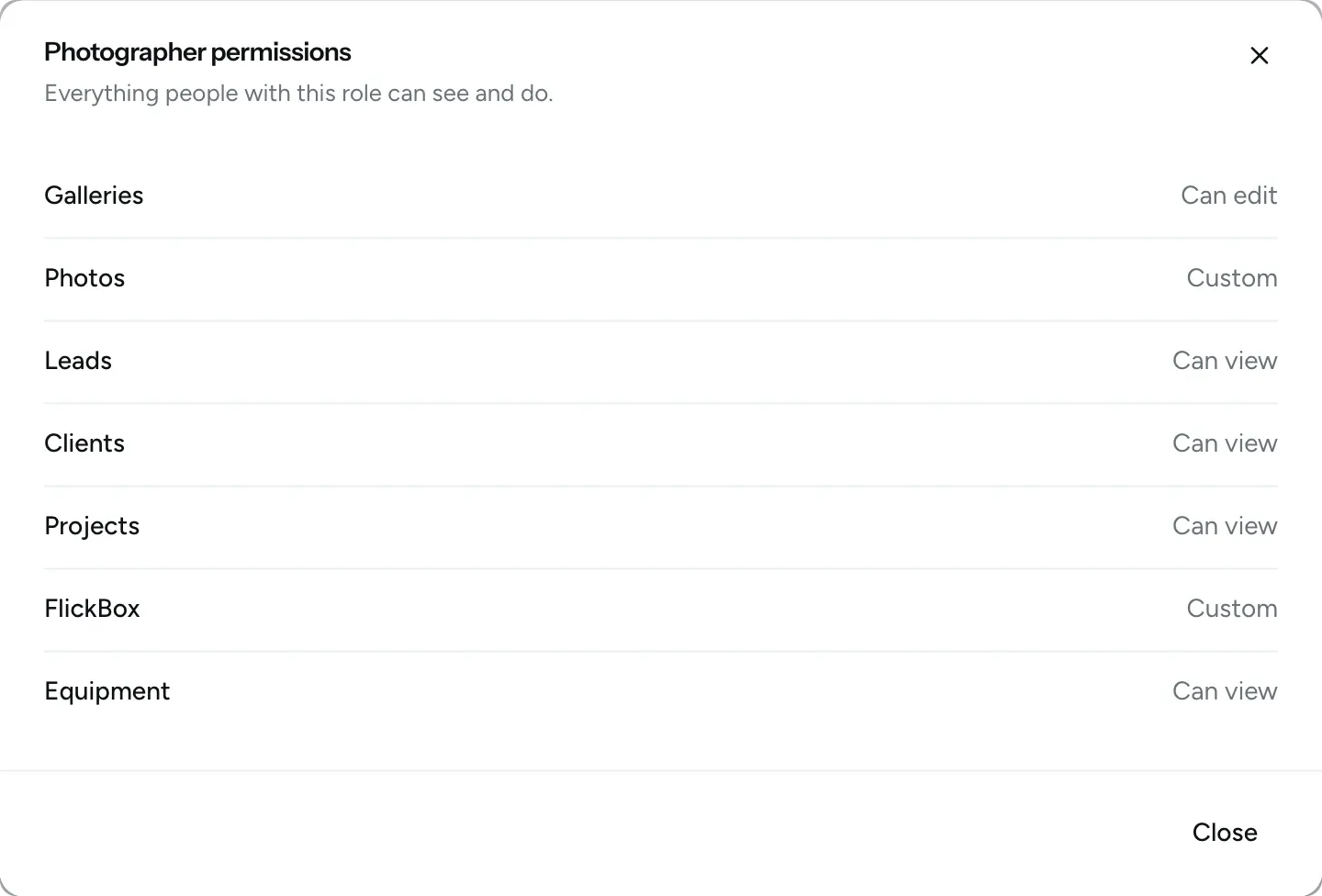
Create roles such as Editor or Accounts and choose exactly what each role can do in galleries, clients, projects, files, finance, equipment and settings. FlickPic checks these permissions on every action instead of only hiding items from the menu.
- Set view, edit, share, download and report rights for each area
- Owners can do everything
- Removed teammates lose access immediately
-
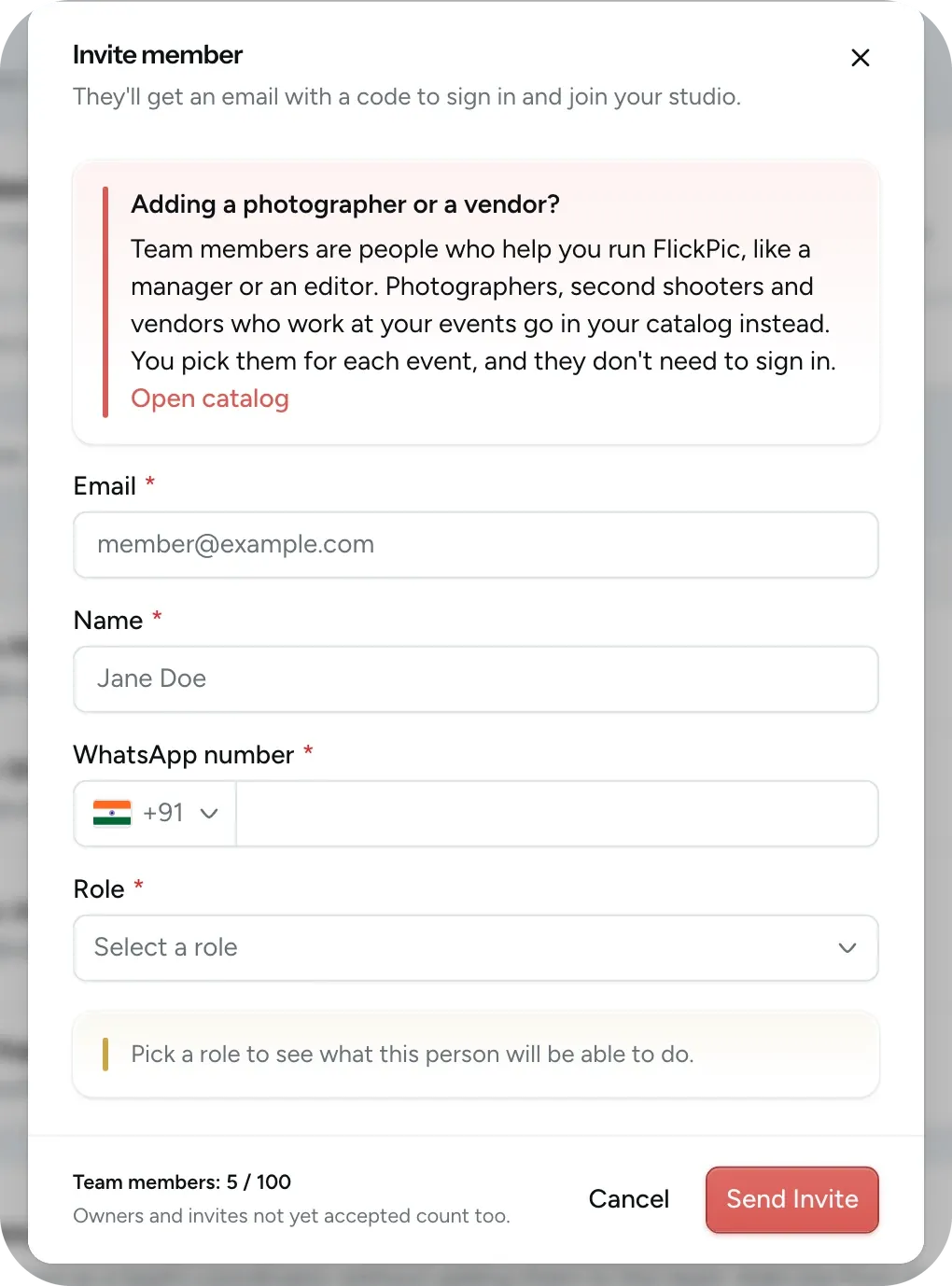
Invite by email
Enter their email, WhatsApp number and role. They sign in with a one-time code or their Google account, so there's no password to share or forget.
- Add freelancers to your saved lists instead
- Resend or cancel a pending invite
- Sign out of any device remotely
-
See who did what
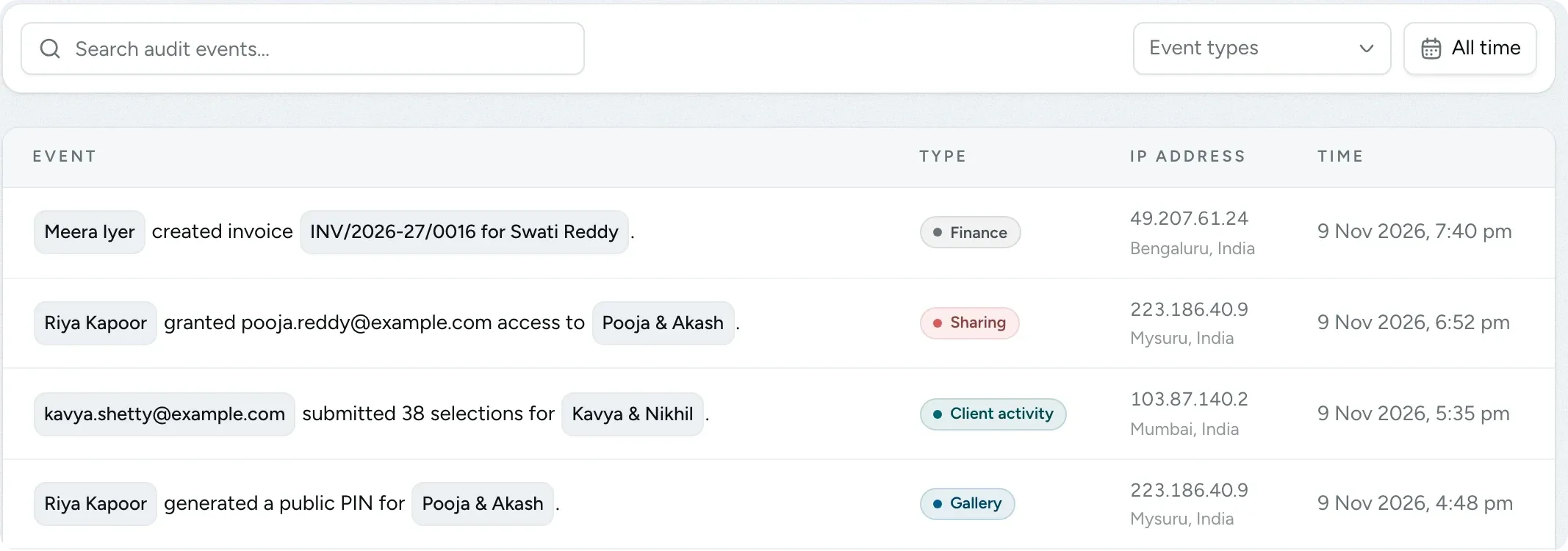
When someone shares a gallery, sets a PIN or creates an invoice, the audit log records who did it and when. Only the roles you choose can view the log.
- Filter by action and date
- Each entry shows the IP address and location
-
One list of freelancers and vendors
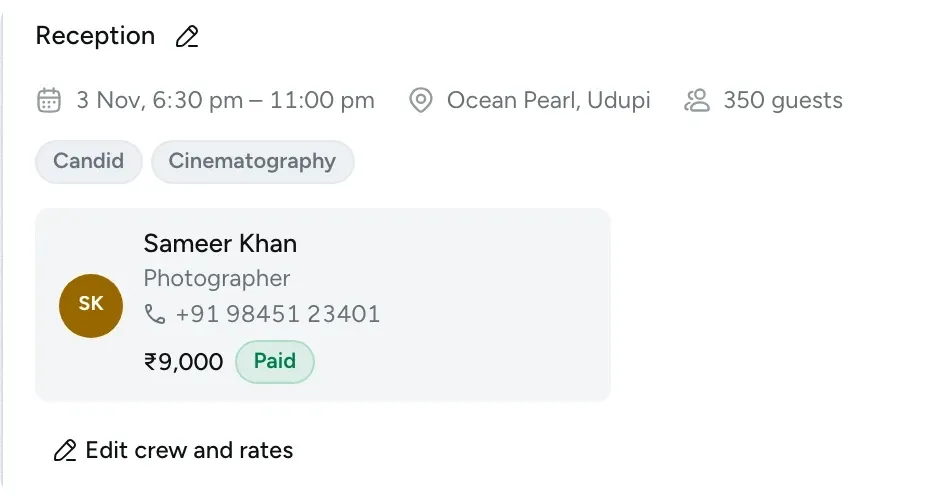
Keep the freelancers and vendors you work with in one list, along with what each one does, and choose them for each shoot day.
- See each person's rate for a shoot and whether it's paid
- They get WhatsApp updates about their shoots
- Crew appear on the project card
See your team and what you've paid each person
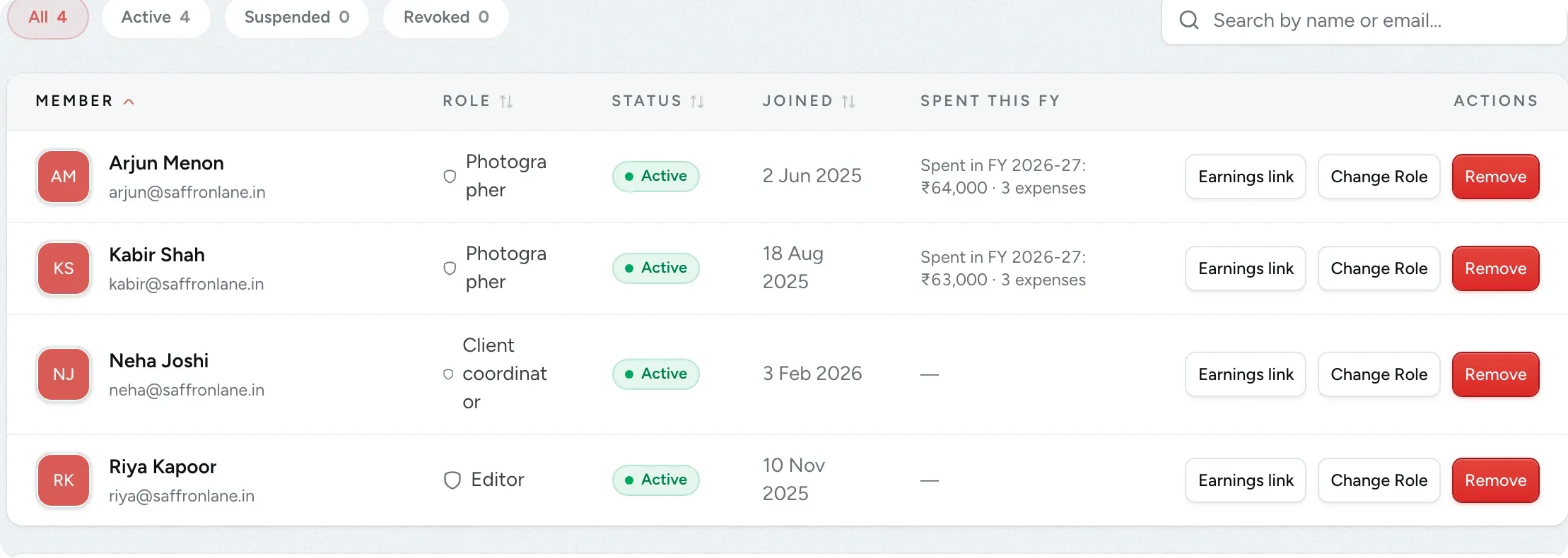
The team list shows each person's role, when they joined and how much you have paid them this financial year. Send someone their earnings link and they can check their payments on their phone without signing in.
- The link shows only their payments, without notes or receipts
- Turn off a link at any time
- Change someone's role or remove them from the same list
Questions about team and access
Questions studios often ask before they start using this feature.
Email us another question-
No. Photographers, second shooters and vendors who work at your events are kept in your saved lists, and you choose them for each event. They don't need to sign in. Only invite the people who help run your studio, such as an editor or a manager.
-
Nothing they created, such as galleries or invoices, is deleted. Any open enquiries and active projects they were coordinating are moved to the studio owner.
-
No. Owners get every studio update. Other teammates are only notified about their own work, such as enquiries you make them responsible for, and about changes to their own access.
-
The second save doesn't overwrite the first. Instead, that person is told that someone else has changed it, reloads to see the latest version and then makes their changes again.
-
No. Audit log entries can't be edited or deleted, so the log remains a reliable record. It records what was done rather than the full content, and it never shows sign-in codes.
Experience FlickPic
Bring a real enquiry to a free 30-minute call. We'll take it all the way to a client gallery in FlickPic with you and answer your questions along the way.