
Automatic updates on WhatsApp
When an invoice is sent, a gallery is published or there's a shoot the next day, FlickPic sends a WhatsApp message to the people involved, in your studio's name.
Replaces Typing every update by hand
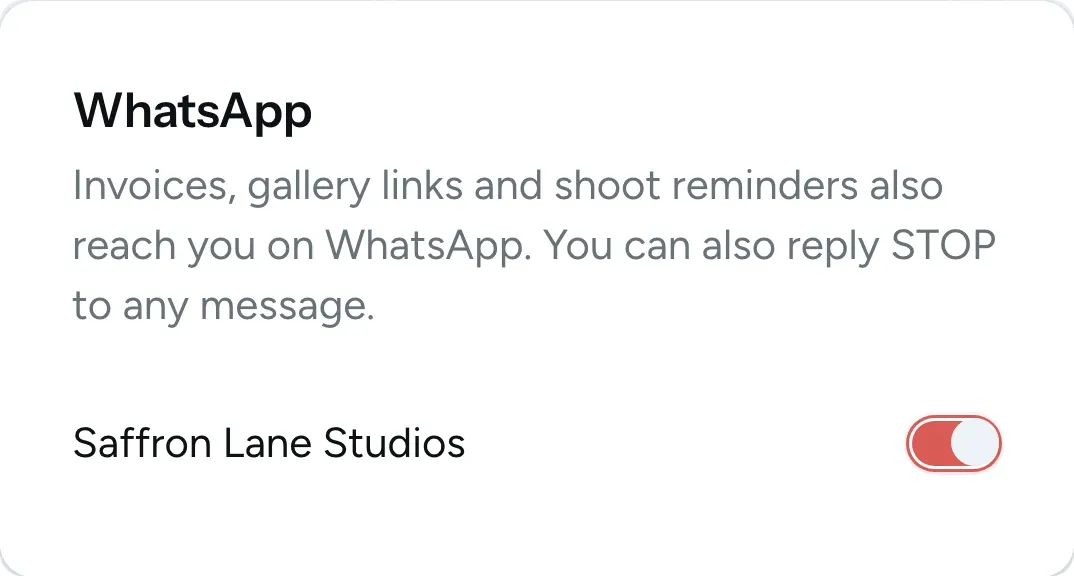

Clients can turn it off
All of this is available today
- Invoices on WhatsApp
- Payment receipts
- Gallery links
- Event reminders
- Portal invitations
- Sent in your studio's name
- Crew shoot details
- Day-before crew reminders
- Alerts for your team
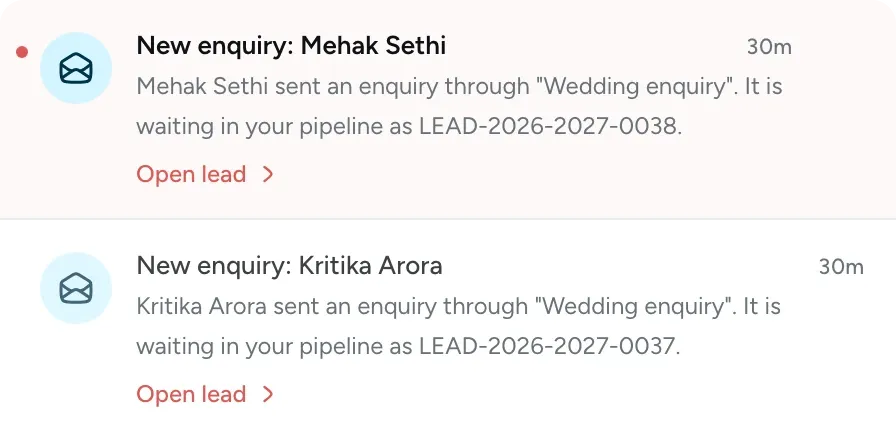
- New enquiry alerts
- Selection alerts
- Signed contract alerts
- Payment alerts
- Daily summary
- Choose which alerts are sent
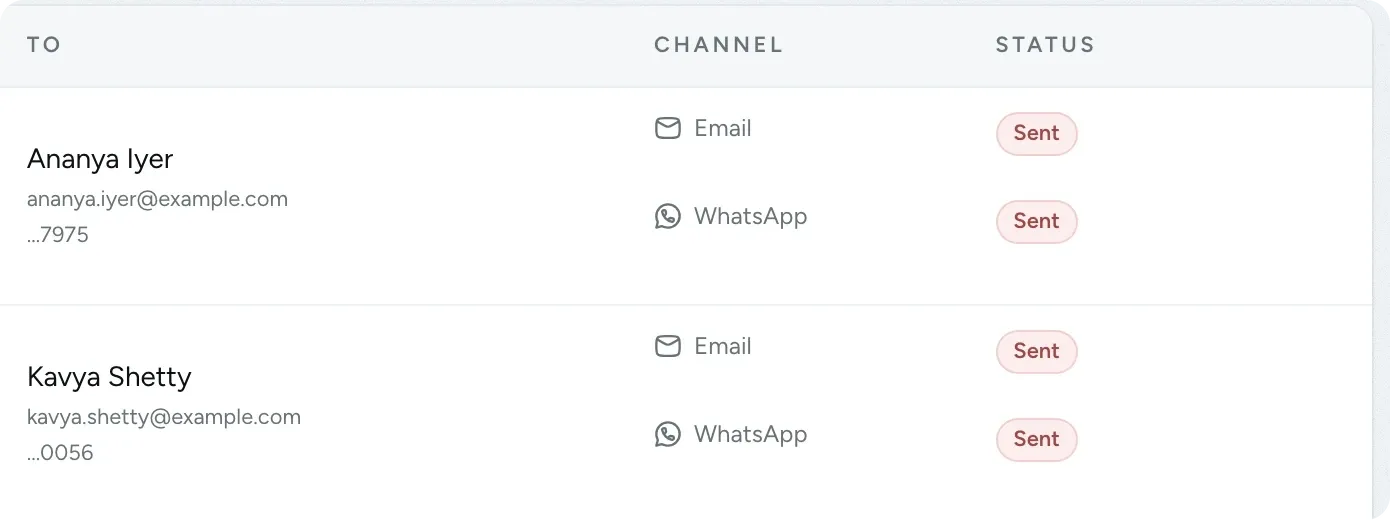
- Message log
What WhatsApp notifications does
-
What your clients receive on WhatsApp
Invoices, receipts, gallery links, event reminders and portal invitations are sent on WhatsApp as well as by email. Each message includes your studio's name and buttons to call or message you.
- Messages are sent as soon as something happens
- Gallery links include the cover photo
- Turn it off for the whole studio with one switch

-
Your crew get shoot details on WhatsApp
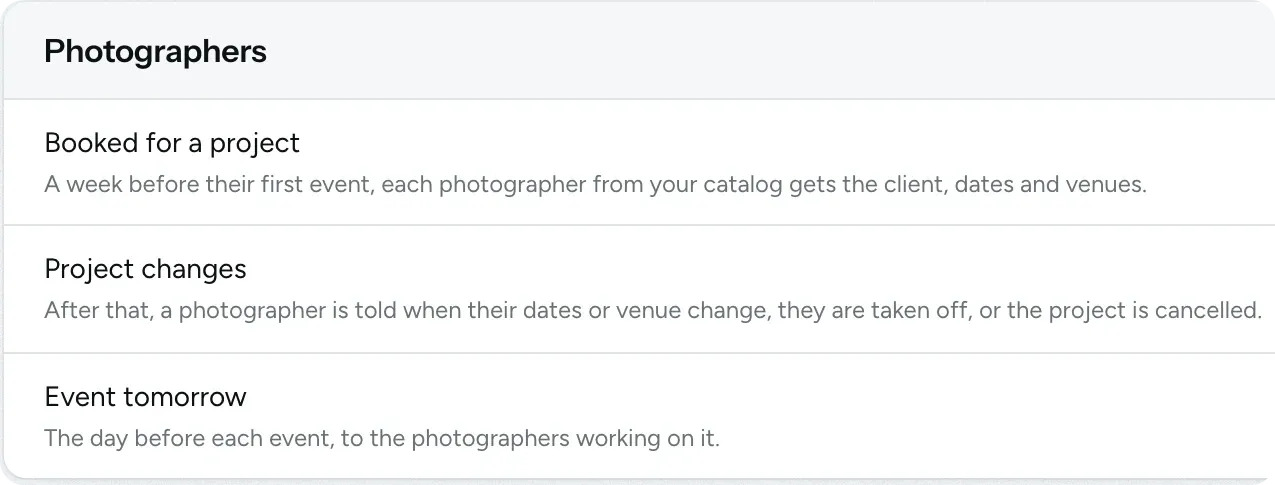
A week before their first event, the photographers you book receive the client's name, dates and venues on WhatsApp. They're told when the plan changes and get a reminder the day before each shoot.
- Includes the map link, call time and venue contact
- Gives them the coordinator's number to call
- No group chats to manage
-
Alerts for you and your team
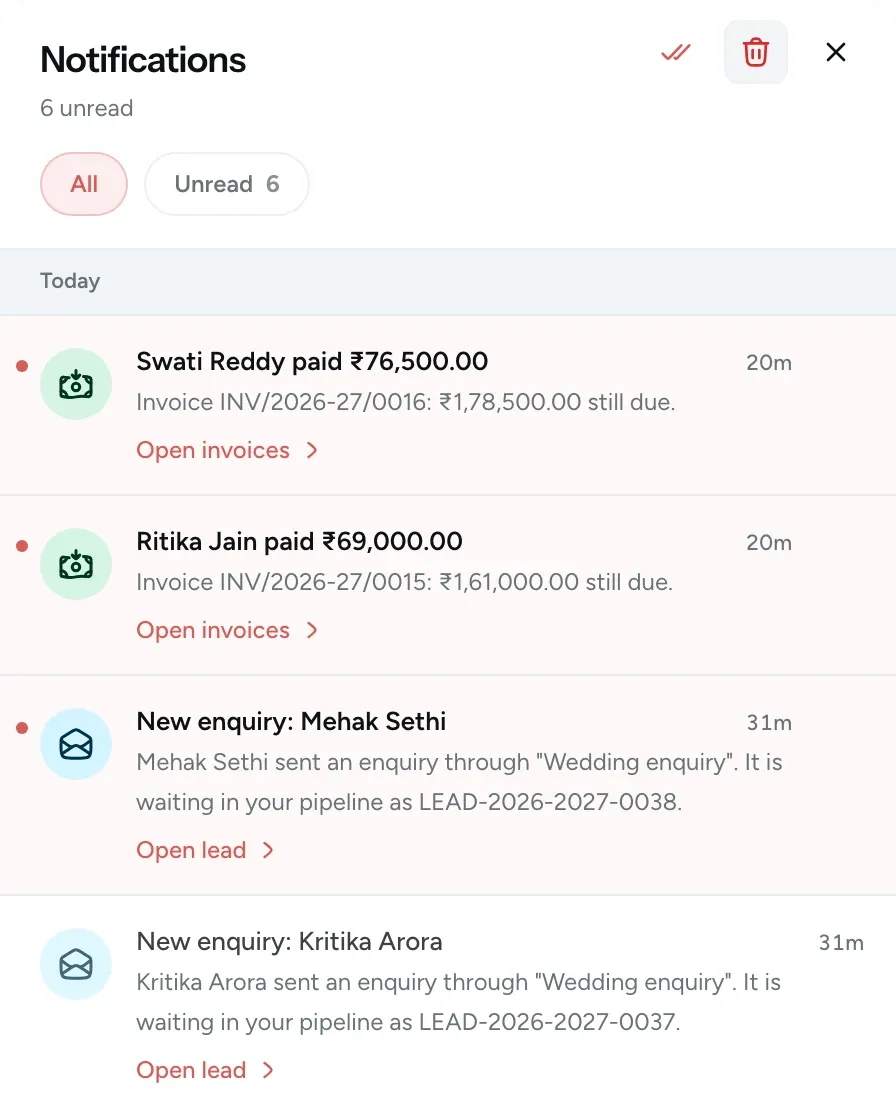
You get a message when a new enquiry comes in, a client submits selections, a contract is signed or a payment is recorded. Teammates only receive alerts about their own work.
- Teammates add their own number
- Each person can pause alerts from their account
- Get a daily summary if you want one
-
Clients only get messages about their booking
Clients start getting messages once you've sent them an estimate or they've booked. The messages are only about their own booking, bills and photos, and never include advertising.
- Clients reply STOP to stop messages and START to resume them
- Clients can turn off your studio's messages in their portal
- You can turn off any message type for your studio

-
A monthly message allowance
Your message allowance resets on the 1st of every month. If you're running low, you can buy more, and any extra messages you don't use carry over to the next month.
- Included on Pro, Max and Ultra
- Buy extra messages in packs of 500
- You're warned before you run out
-
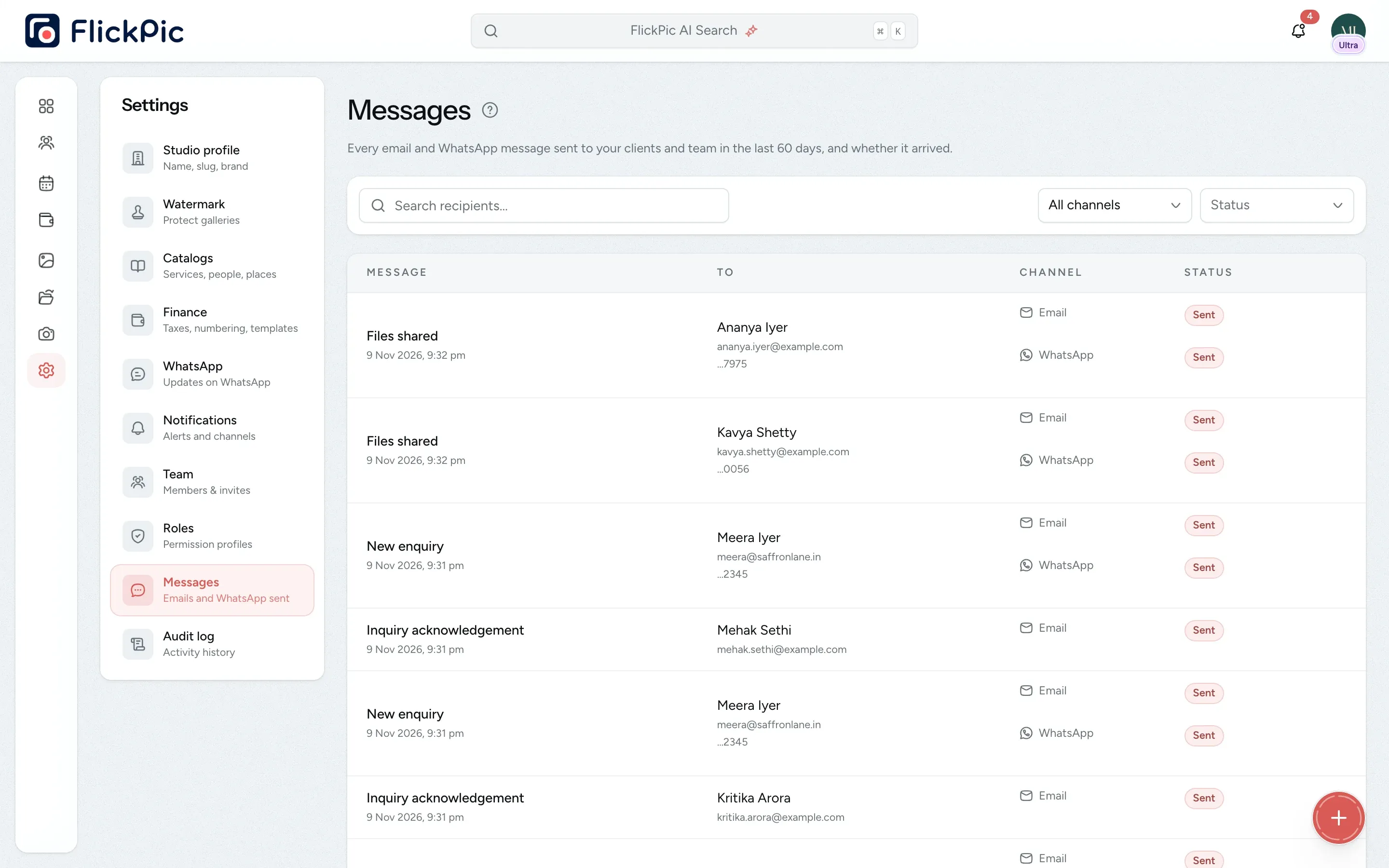
A log of every message sent
Every email and WhatsApp message your studio sends is listed with its delivery status. If a client says they never received something, check here first.
- See whether each message was sent, delivered, read or failed
- Also shown on the project, lead or client
- Filter by channel and status
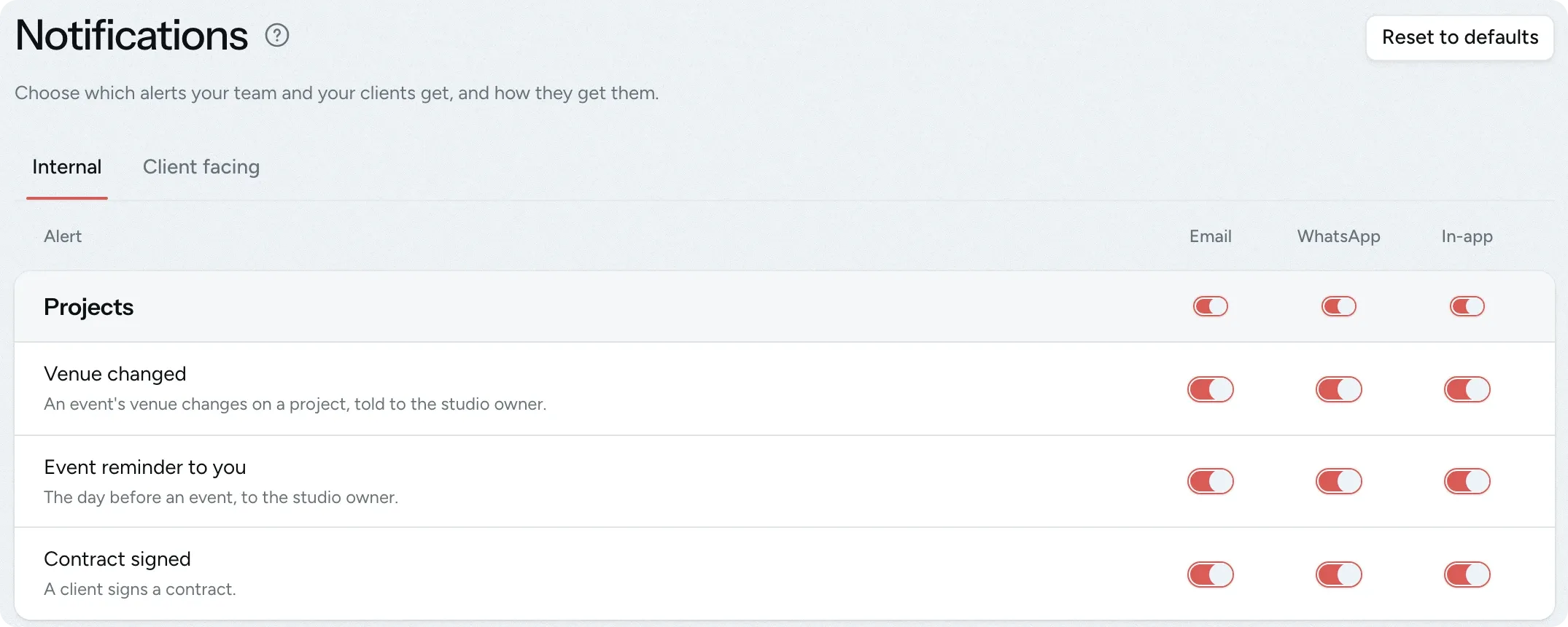
Choose which alerts are sent on WhatsApp
Each alert has its own switches for email, WhatsApp and in-app notifications. You set team alerts and client messages separately, and the switch on a group turns all of its alerts on or off at once.
- Remind your team the day before each event
- Messages with links your clients need are always sent
- Reset the settings to the defaults at any time
Questions about WhatsApp notifications
Questions studios often ask before they start using this feature.
Email us another question-
No. Messages are sent from FlickPic's WhatsApp number and include your studio's name. Replies to that number don't reach you, so messages include Call studio and Message studio buttons that connect to your studio's own number.
-
Yes. WhatsApp messages are sent in addition to the email, never instead of it. If you turn off WhatsApp for your studio, emails and in-app notifications continue as usual.
-
Yes. They can turn off the switch for your studio in their portal. If they reply STOP, they stop getting WhatsApp messages from every studio on FlickPic until they reply START. In both cases, your Messages page shows that they have opted out.
-
No. Photographers get the client's name and the main contact's name, but never the client's phone number or any prices. Messages to your crew stay off until you turn them on.
-
Yes. Each teammate adds their own number on their account page and can pause updates there for each studio they belong to. They only get the updates that their role would also get by email.
Experience FlickPic
Bring a real enquiry to a free 30-minute call. We'll take it all the way to a client gallery in FlickPic with you and answer your questions along the way.