
How full is the year ahead?
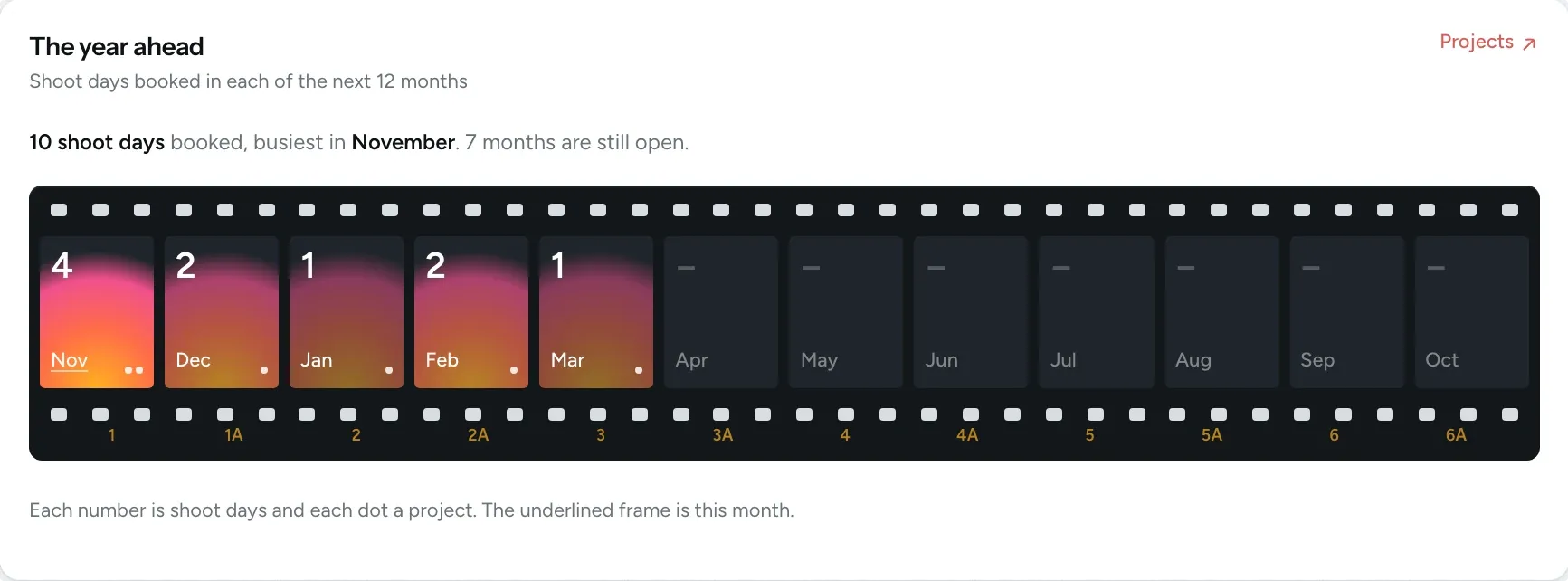
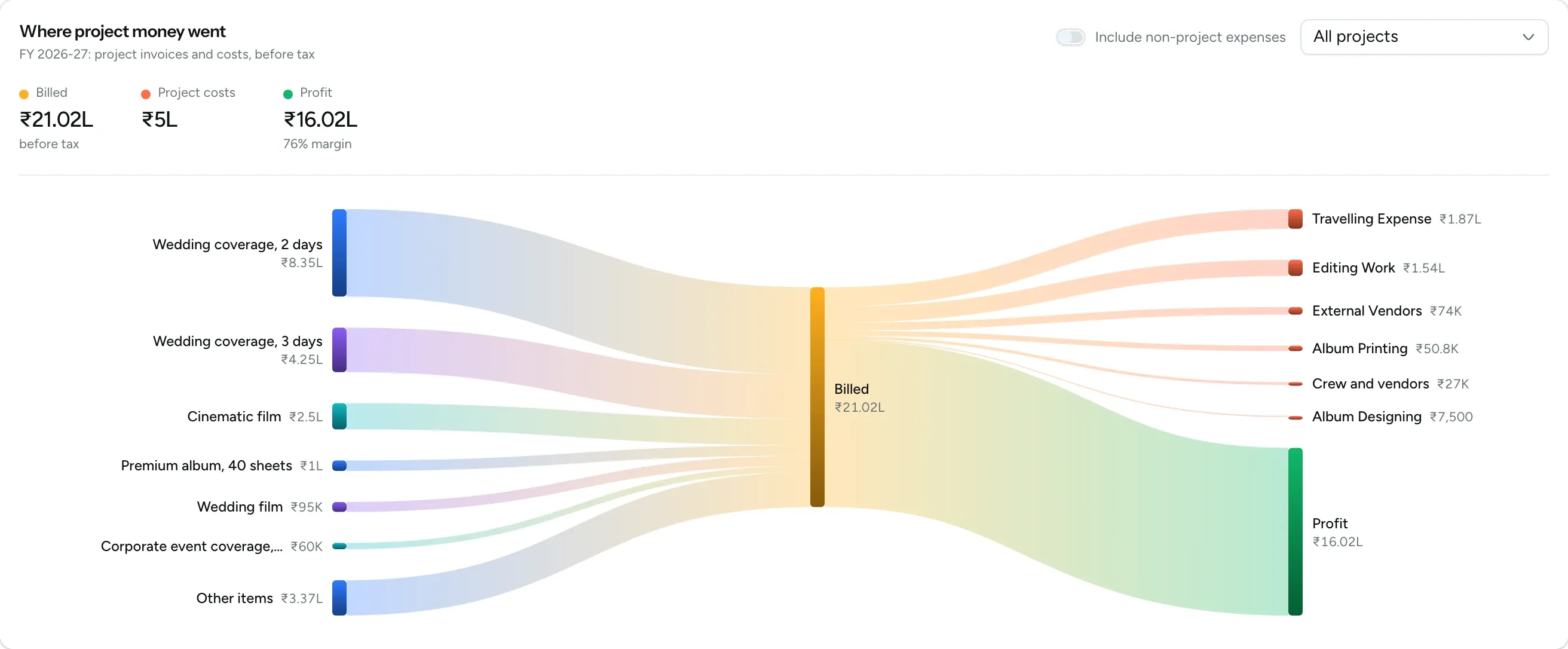
Almost every studio we spoke to told us the same thing: they had no clear picture of their own business. Because your enquiries, bookings, invoices, expenses and galleries are already in FlickPic, the numbers are always there and update automatically.
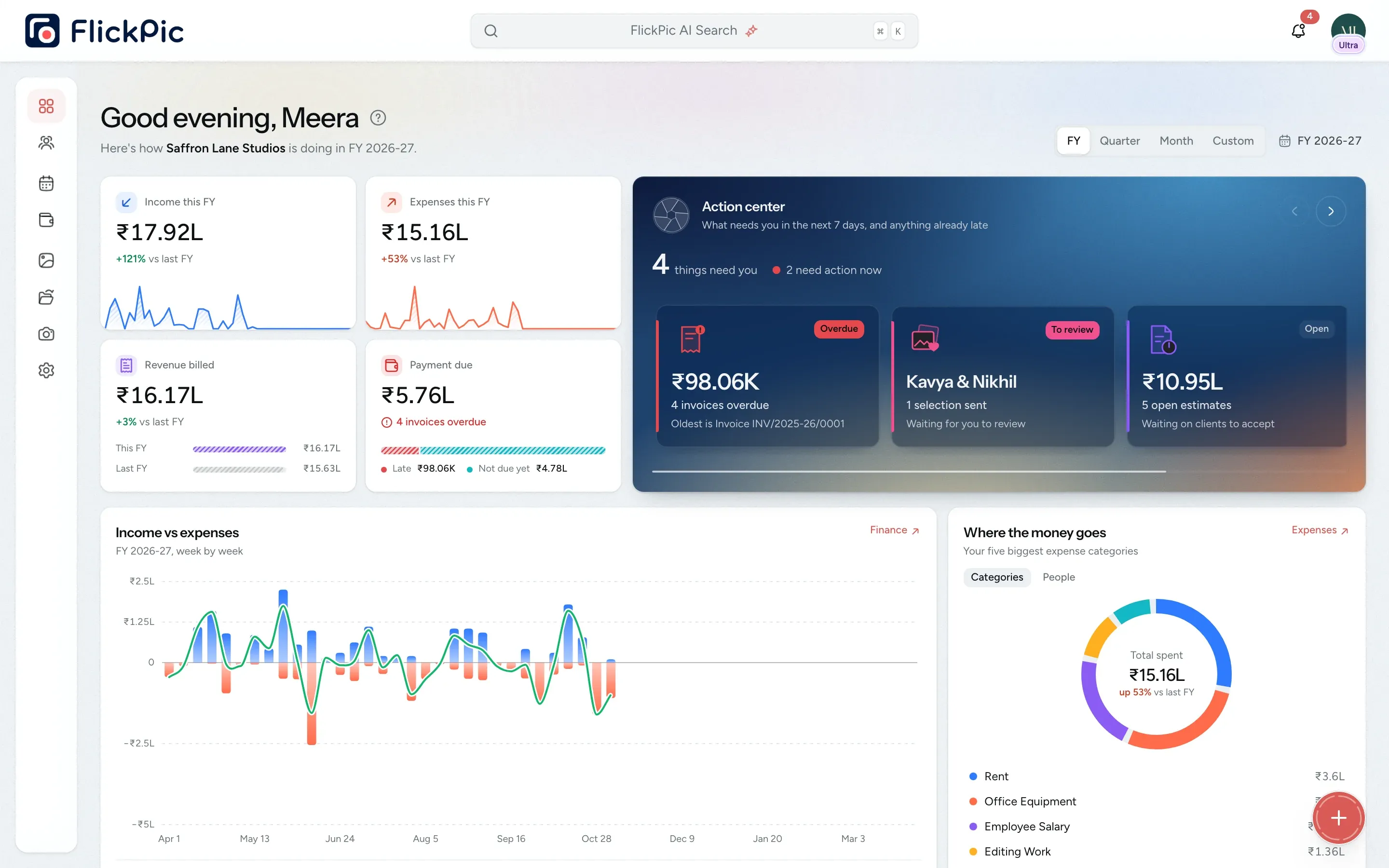
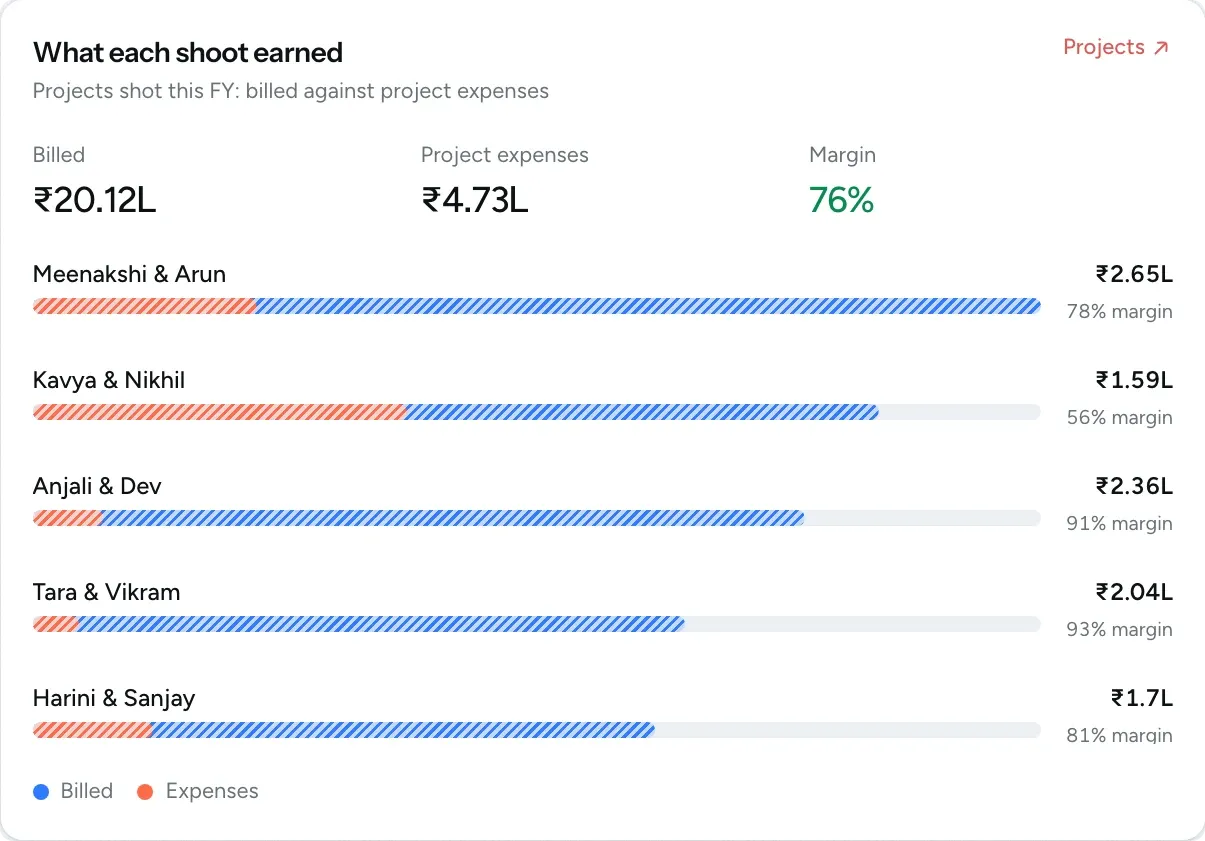
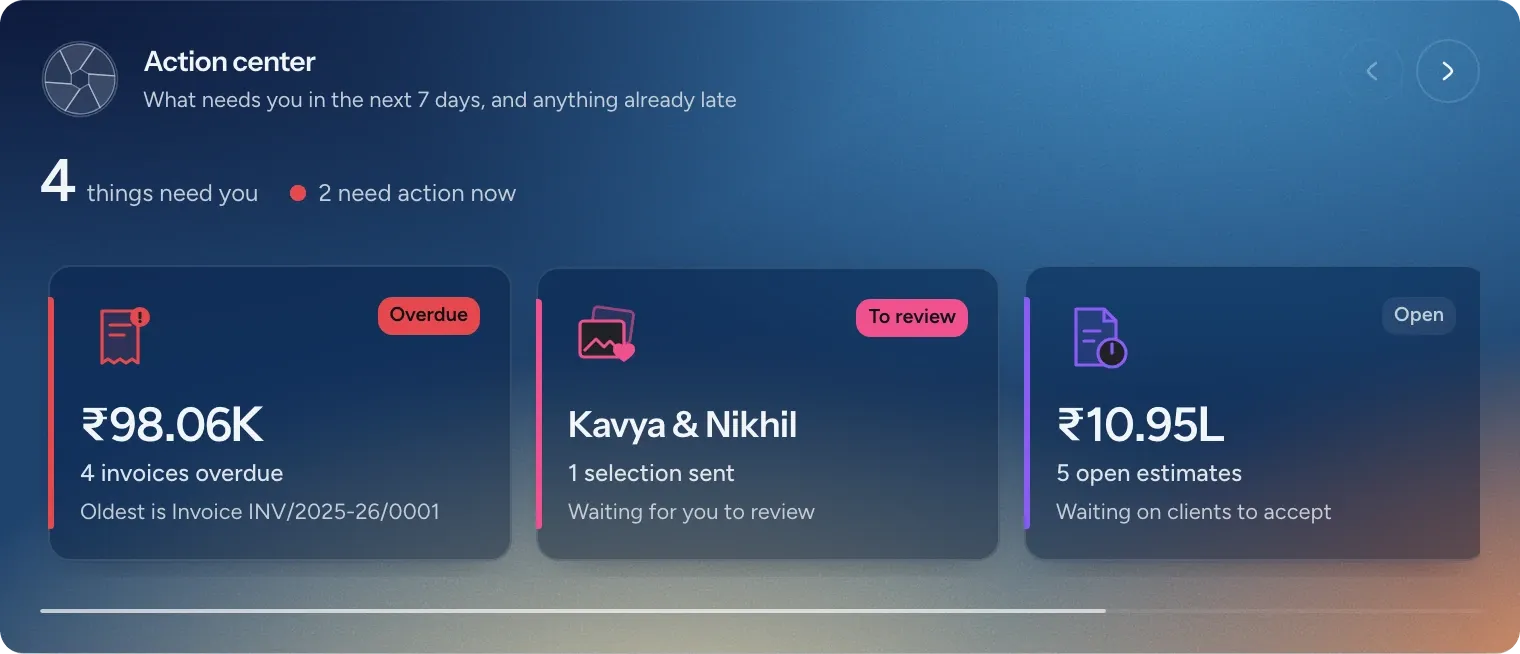
The action center on your dashboard lists overdue items first, followed by what's coming up this week. Click any card to view the invoices or shoot details behind it.
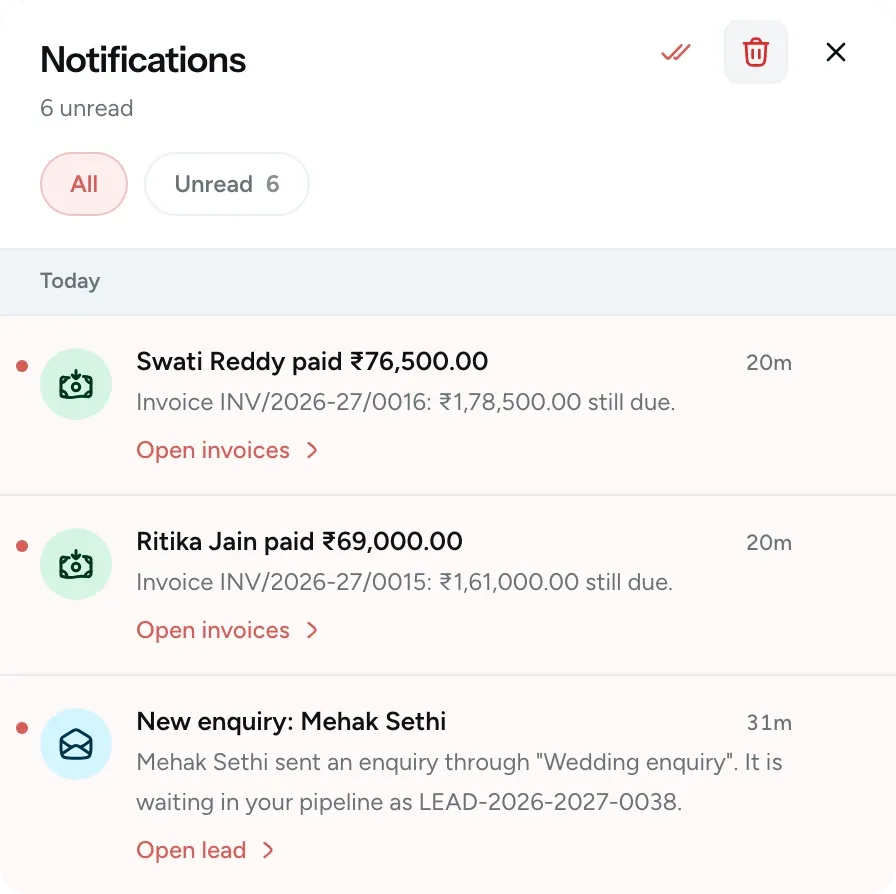
Payments and new enquiries appear in your notifications as soon as they arrive.
When your enquiries, bookings, bills and galleries are kept in different places, answering these questions can take an evening with a spreadsheet. In FlickPic, the answers are already there.
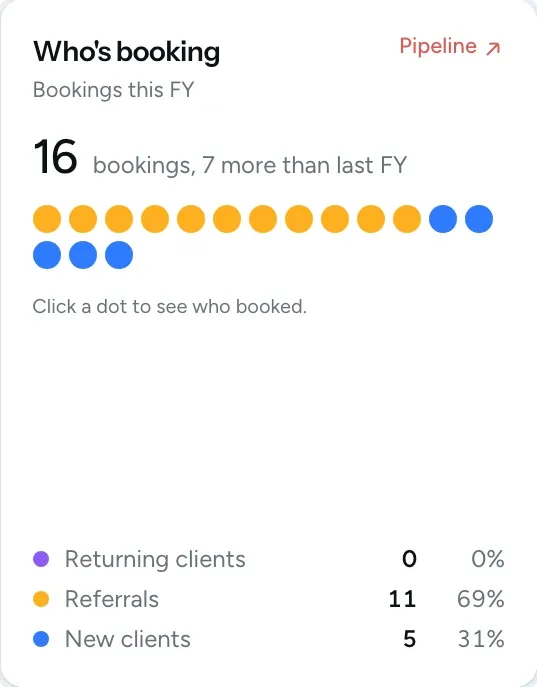
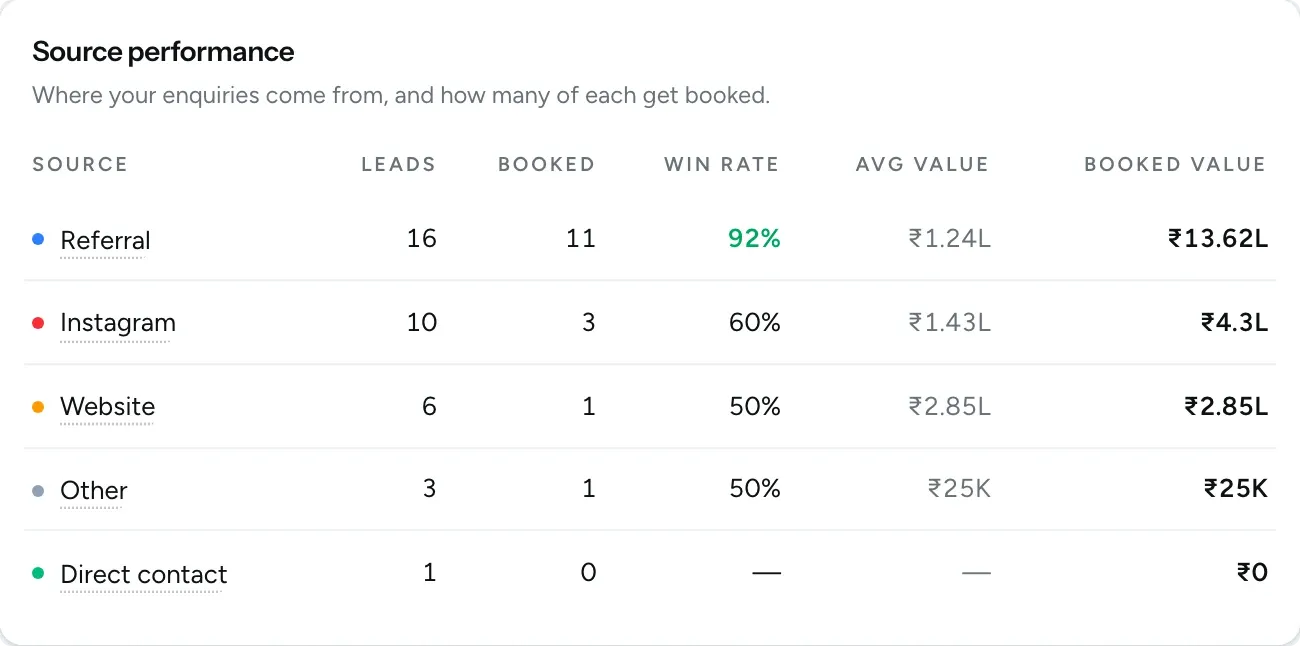
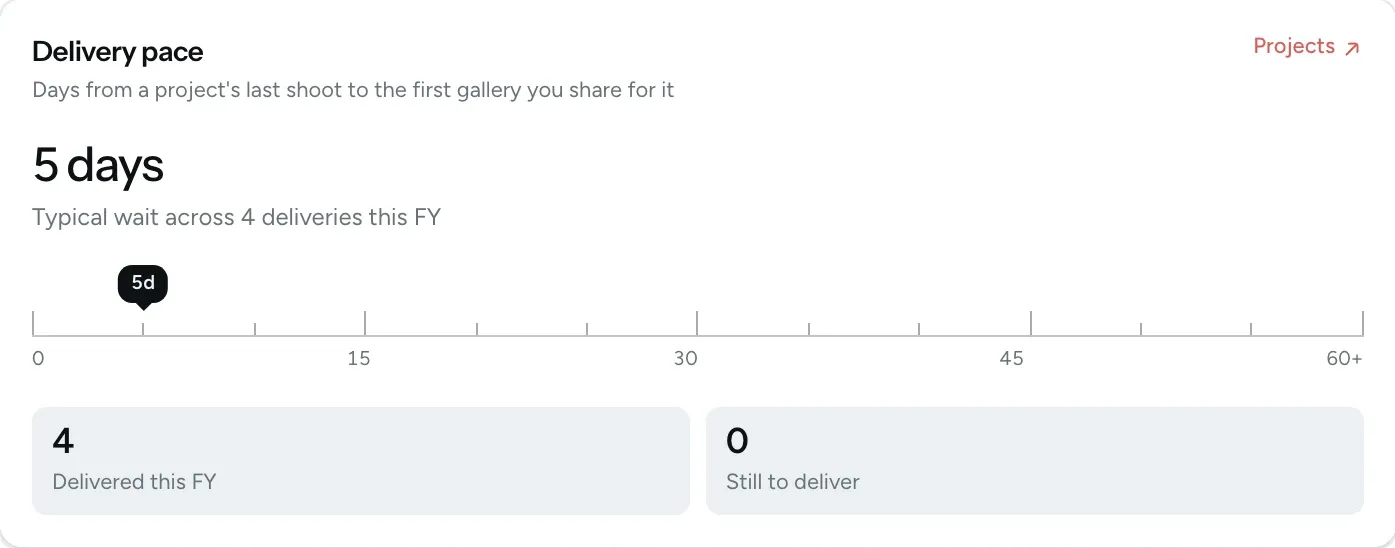
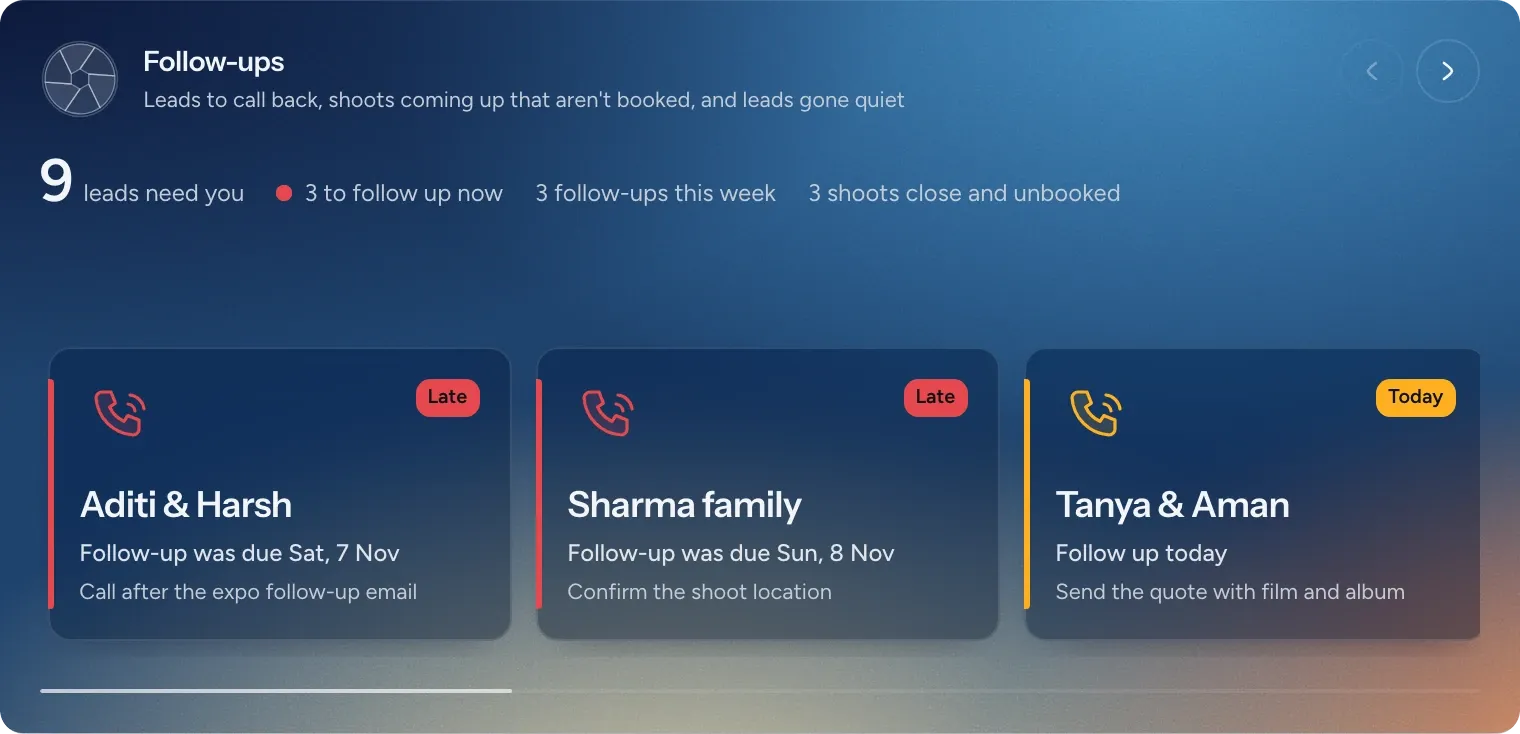
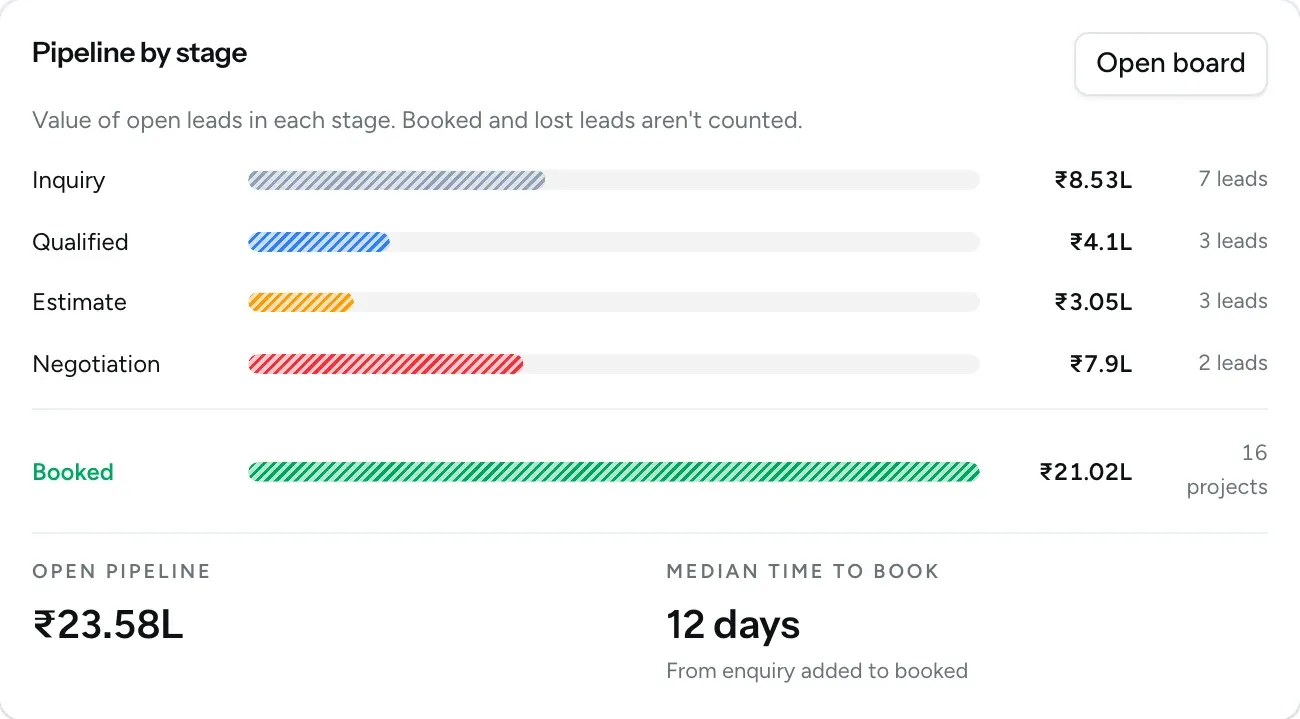
Leads that need your attention appear first, each with the reason, such as a missed follow-up, a call due today or an upcoming shoot that still isn't booked. You can also see what each stage of your pipeline is worth and how long an enquiry usually takes to turn into a booking.
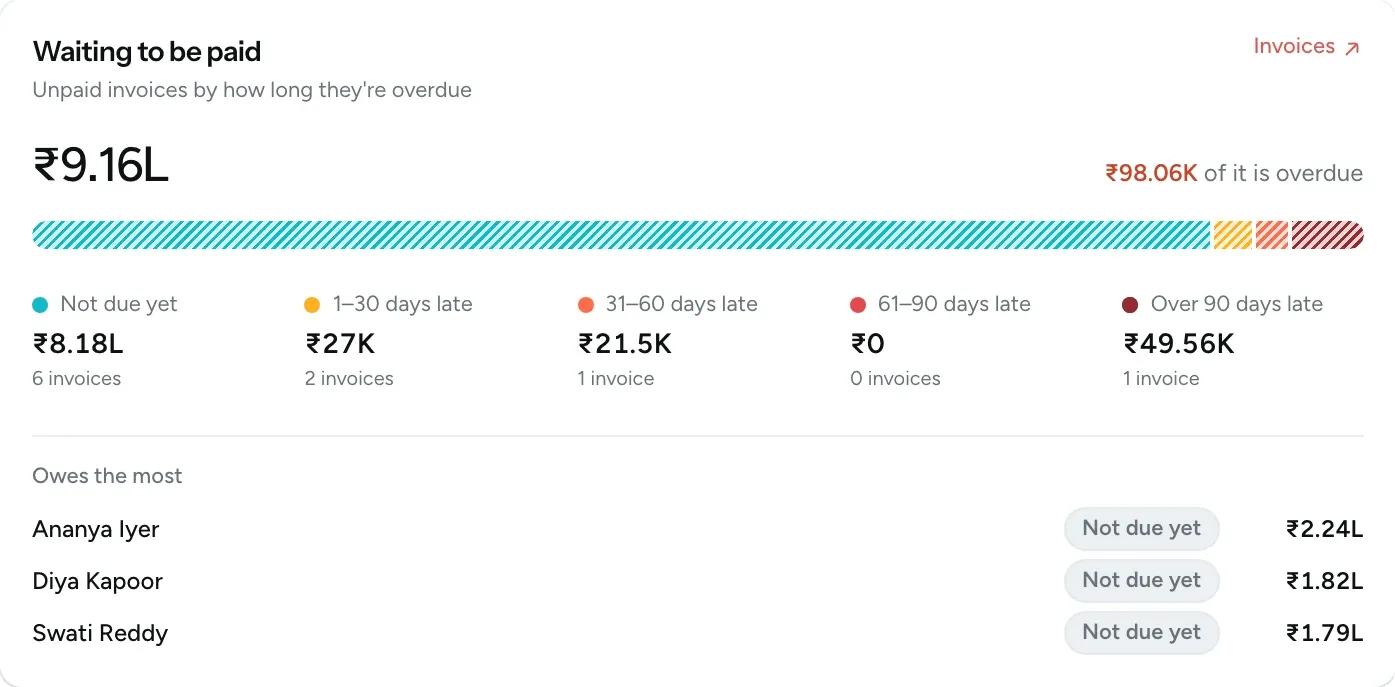
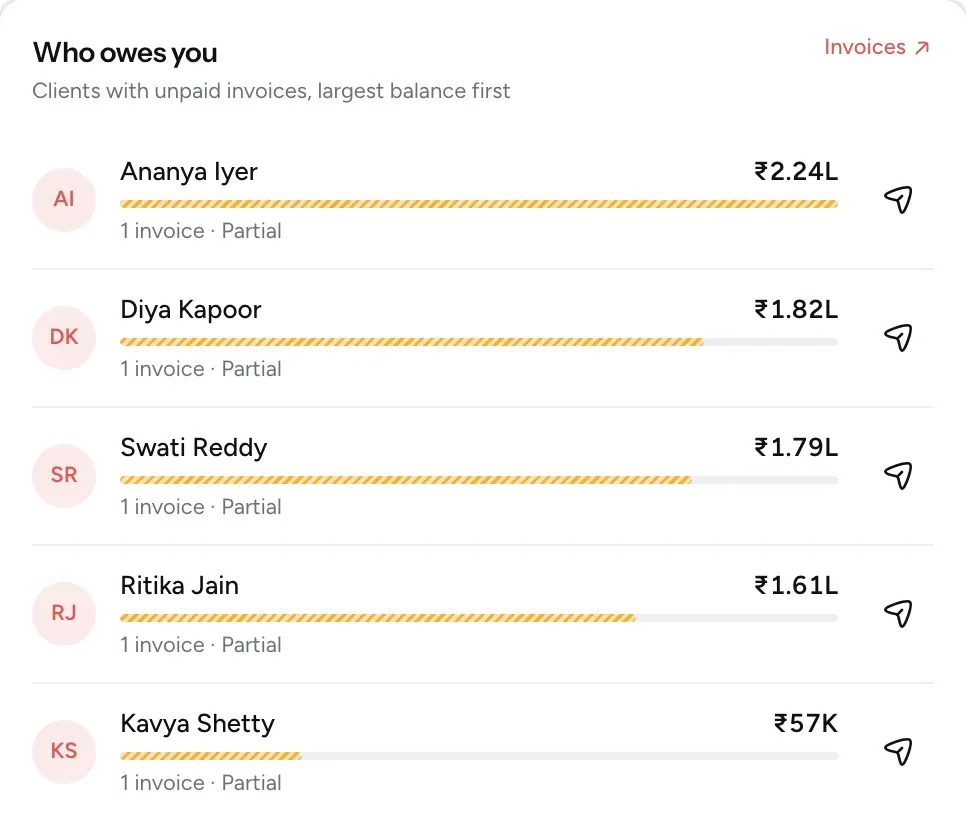
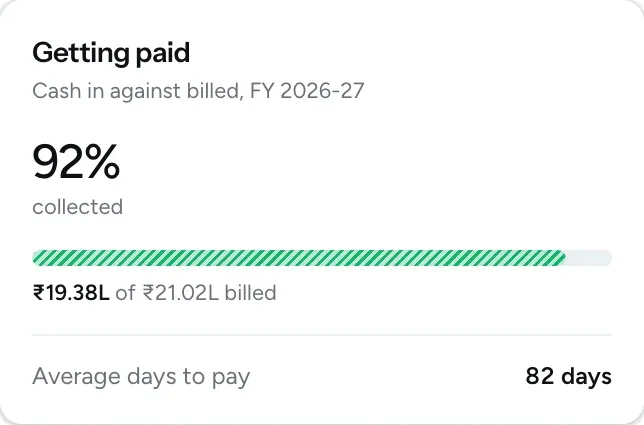
Every client with an unpaid invoice is listed, with the largest balance first. Use the send icon beside a name to send that client a payment reminder by email and WhatsApp. You can also see how much of what you billed has been collected so far.
Book a free 30-minute demo and we'll walk you through the dashboard, the finance overview and the CRM reports using a studio like yours.