
Quotes that turn into invoices
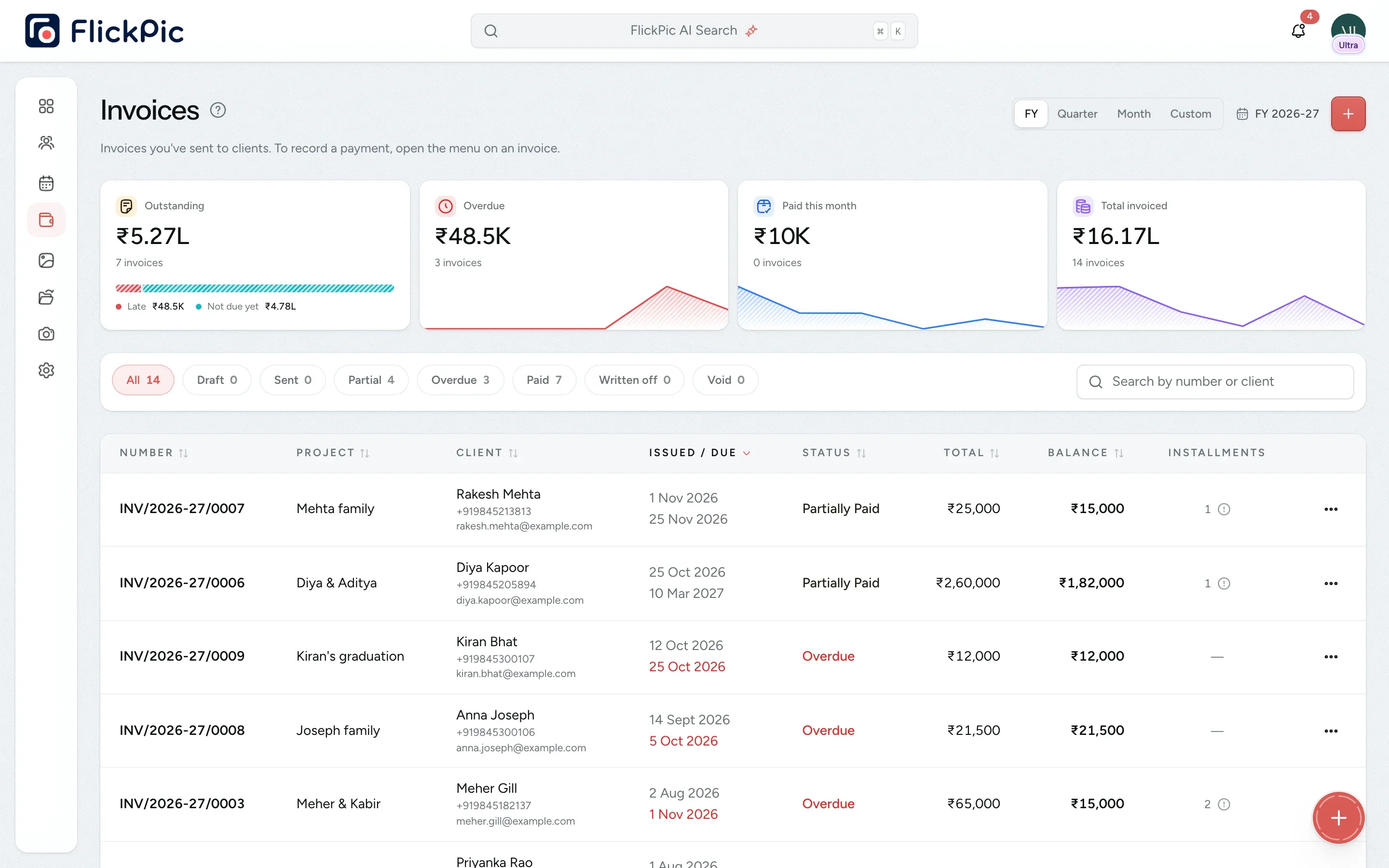
Send a quote from the enquiry, convert it into an invoice and record each payment. You don't need a separate billing app with its own copy of your client list.
Replaces Your invoicing software
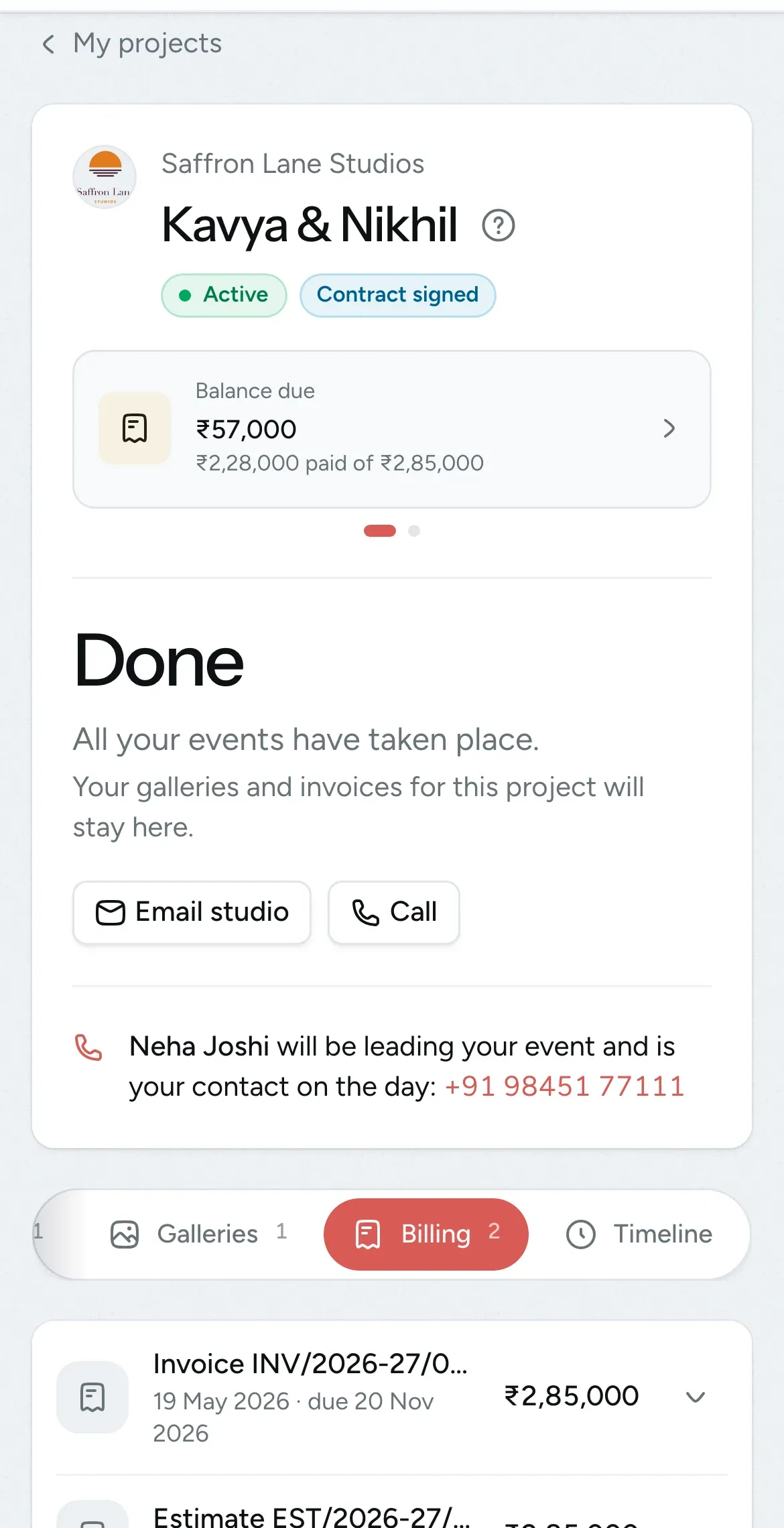
Clients see their bills on their phone
All of this is available today
- Quotes from enquiries
- Quote to invoice in one click
- GST invoices
- Three PDF designs
- Your logo, colour and signature
- Credit and debit notes
- Private invoice links
- Instalments
- UPI, bank, cash and cheque
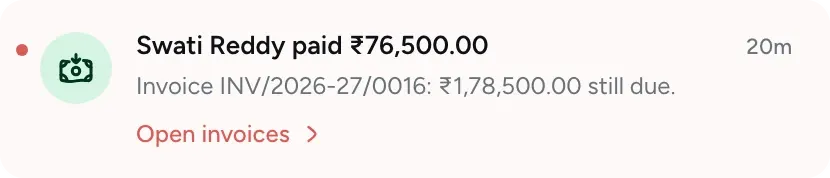
- Receipts by email
- Automatic payment reminders
- Who owes you
- Late payment report
- Billing in the client portal
What Invoices and payments does
-
Follow each booking from quote to payment
When you drag an enquiry to Estimate, the quote is filled in from the packages on the enquiry. Once the client books, the quote becomes the invoice, and you record payments against it until it's fully paid.
- Create an invoice directly when there's no quote
- Convert a quote into an invoice in one click
- Handle write-offs and cancellations

-
PDFs with your logo and colours
Choose one of three designs and add your logo, brand colour and signature. The PDF prints exactly as it looks on screen.
- Preview, download or print
- Your tagline and address appear in the header
- Layouts stay neat across several pages

-
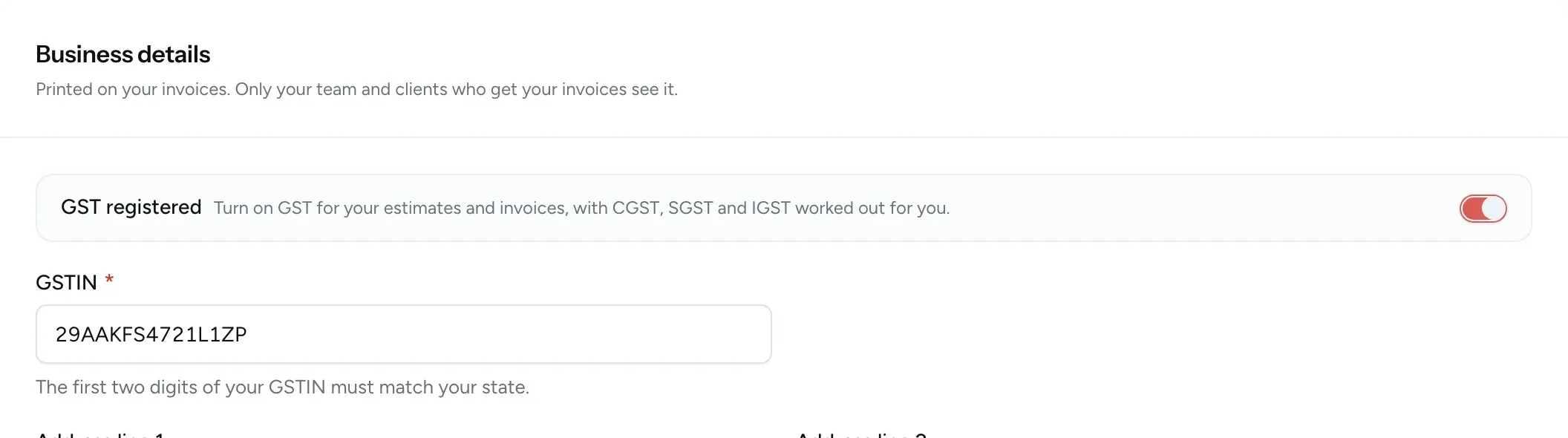
GST-ready invoices
When you turn on GST registration, FlickPic calculates CGST and SGST, or IGST, based on the place of supply. You can also add your own tax rates and HSN/SAC codes.
- Your GSTIN and the place of supply appear on every page
- Includes your name and signature
- Invoice numbers never change once an invoice is sent
-
Record each instalment
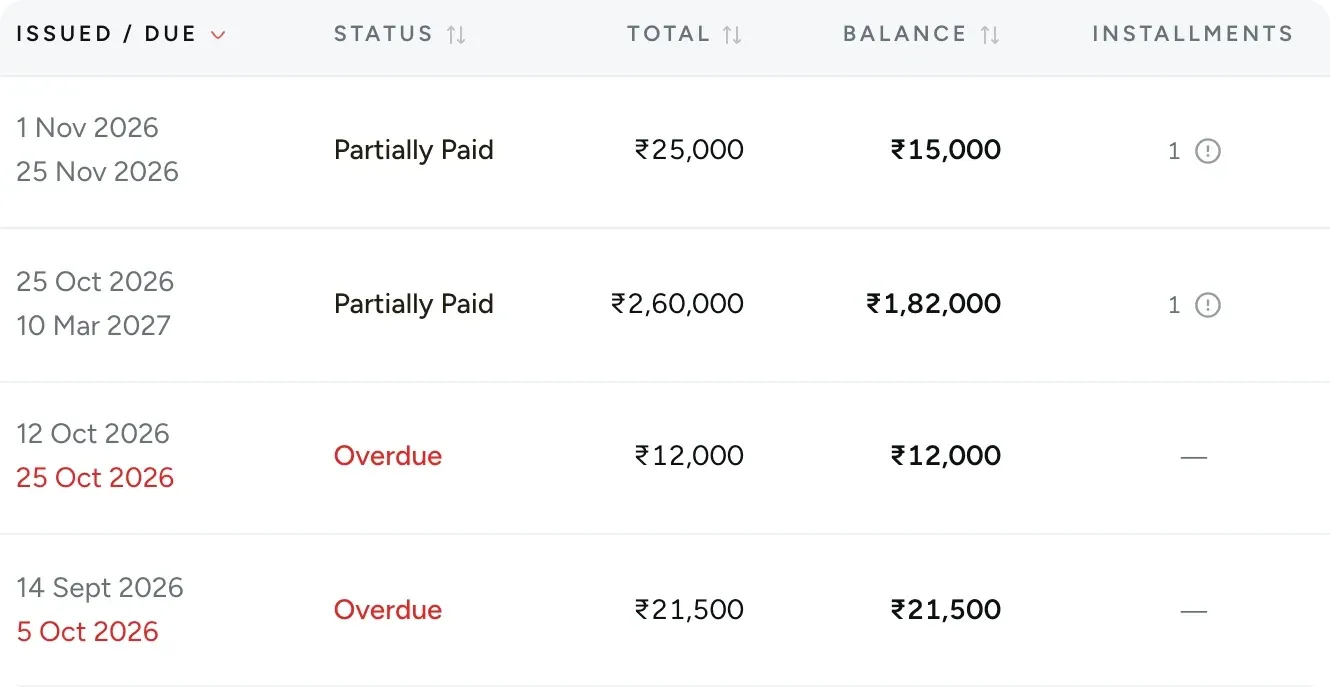
Record each payment as it arrives, whether it's the advance, a second instalment or the balance on delivery. The invoice is marked as paid automatically once nothing is left to pay, and the PDF lists every payment.
- A receipt is emailed for every payment
- Record a payment from any page
- Supports bank transfer, UPI, cash and cheque payments
-
Automatic payment reminders
FlickPic emails your client 3 days before an invoice is due, on the due date, and 3 days after if it's still unpaid. You can turn reminders off if you prefer to follow up yourself.
- Sent in your studio's name
- Only for invoices you've sent that still have a balance
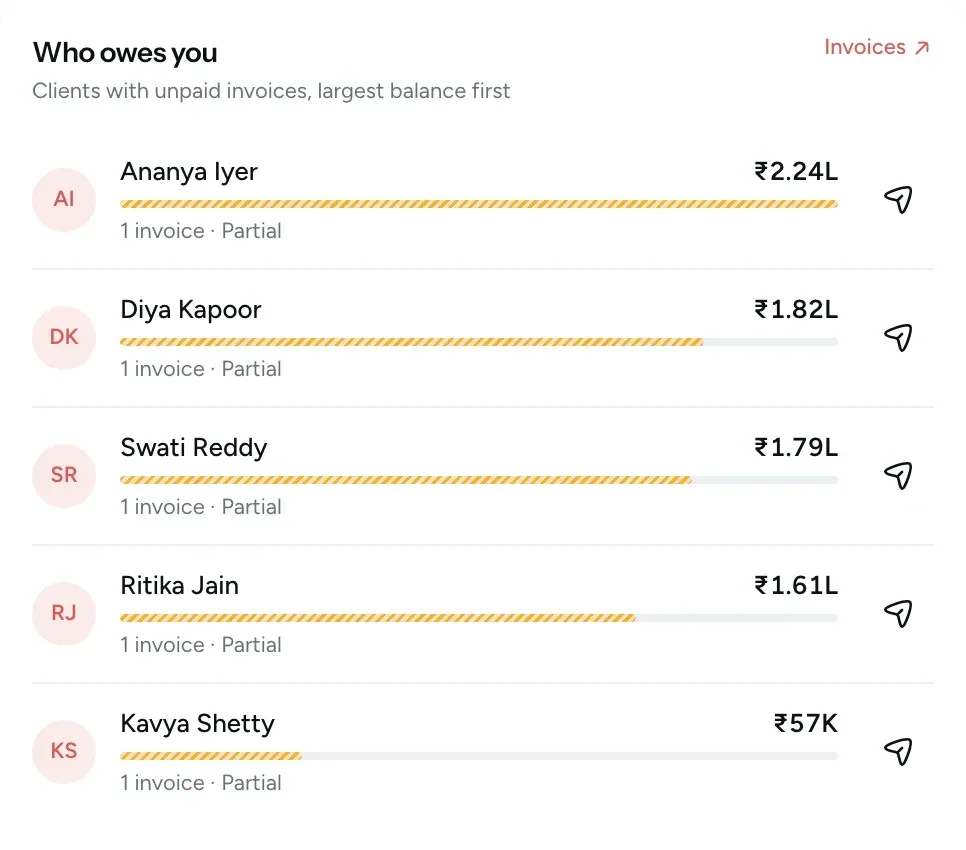
- Send a reminder yourself from Who owes you
-
Sent invoices keep their original details
If you later change a client's email or phone number, the invoices you've already sent keep the details they were sent with.
- Make changes with a credit or debit note
- Set up tax rates, payment methods and items once

-
A private link for every invoice
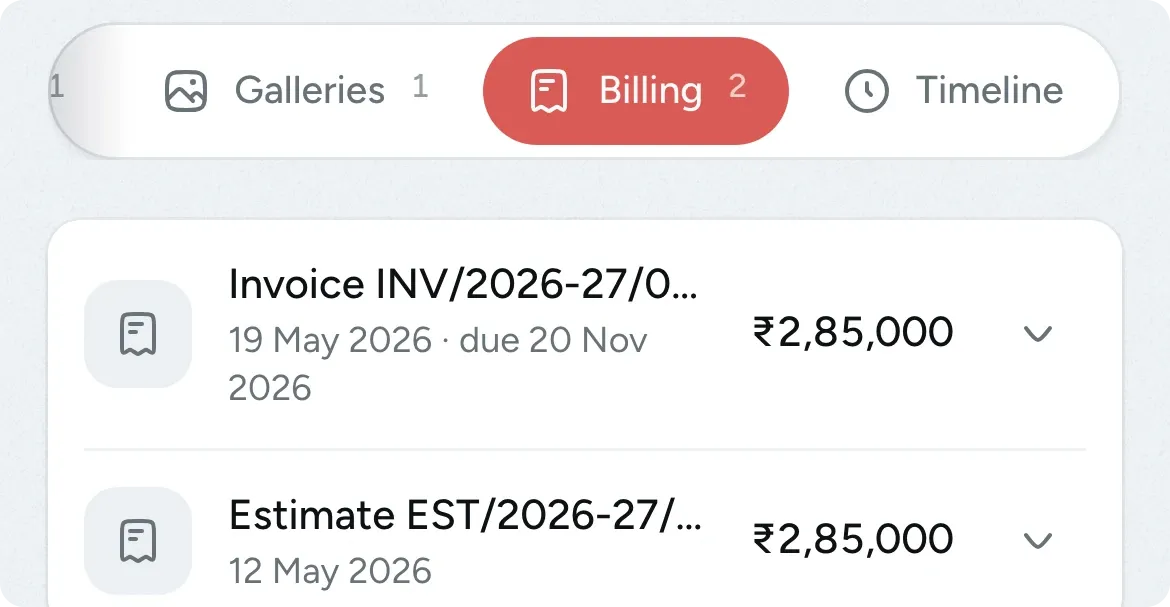
Every invoice and quote has its own private link with your studio's name on it, ready to send on WhatsApp. Your client can also find them under Billing in their portal.
- You're notified when your client first opens it
- Each link shows only that document
- Clients can download or print from the portal
See which clients are late paying and by how long
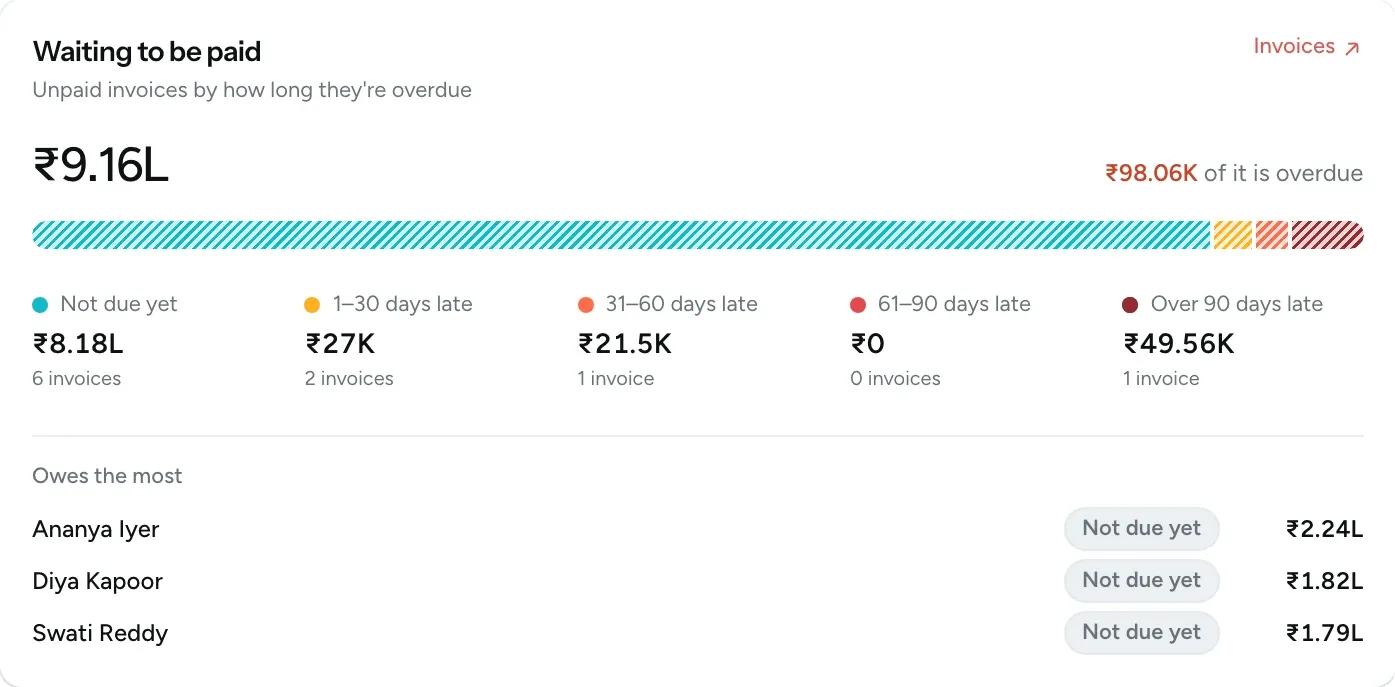
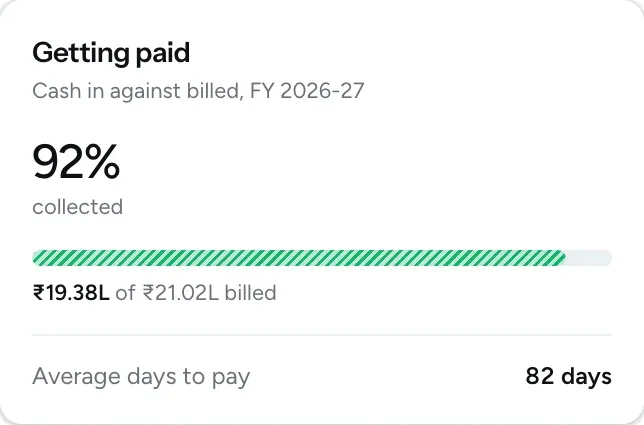
Waiting to be paid groups your unpaid invoices by how late they are and lists the clients who owe the most. Getting paid shows how much of this financial year's billing has been paid.
- Amounts grouped as not due yet, 1 to 30, 31 to 60, 61 to 90 and over 90 days late
- The overdue total is shown separately
- See how many days clients take to pay on average
Questions about invoices and payments
Questions studios often ask before they start using this feature.
Email us another question-
Not yet. Your client pays you directly using the payment details on the invoice, such as UPI or bank transfer. You then record the payment in FlickPic, and your client receives a receipt by email.
-
Sent invoices can't be edited. Raise a credit note to reduce the amount or a debit note to increase it. If the invoice is completely wrong, void it and create a new one. Invoices are never deleted, so your GST records stay complete.
-
No. You can invoice any client directly. Estimates are for enquiries that haven't booked yet. An invoice needs a client, so an enquiry has to be booked before you can invoice it.
-
No. Your client's invoice only ever shows Paid, Partially paid or Due. Overdue is a status that only you and your team see in FlickPic.
-
No. If your connection drops and you try again from the same window, FlickPic records the payment only once, even if the first attempt went through. A payment also can't be more than the amount still owed.
Experience FlickPic
Bring a real enquiry to a free 30-minute call. We'll take it all the way to a client gallery in FlickPic with you and answer your questions along the way.